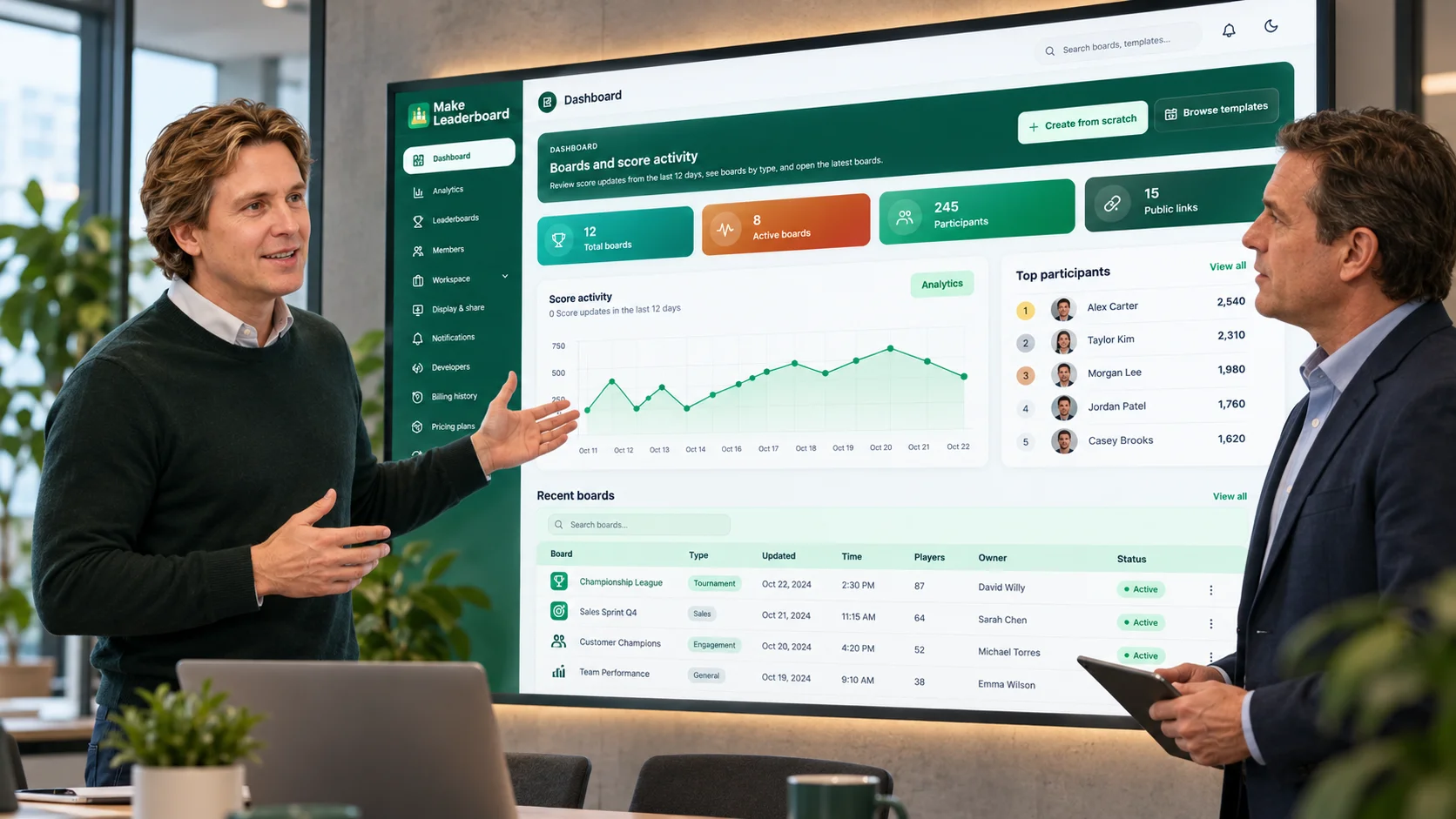
Leaderboard Maker Create Rankings With Ease
Build, manage, and share professional leaderboards for competitions, classrooms, teams, and events. Organize participants, track scores, and follow rankings in one powerful workspace.
One workspace for your leaderboards, participants, scores, and rankings.
Built for Every Kind of Competition
From team challenges and educational activities to sports and business competitions, Make Leaderboard helps bring scores, people, and rankings into one organized experience.





See How Make Leaderboard Works
Discover how to create leaderboards, manage scores, organize participants, and follow rankings using the Make Leaderboard dashboard.
Watch the product tour to see how Make Leaderboard works.
Managing Scores Shouldn't Be the Hardest Part of the Competition
Scattered spreadsheets, manual updates, confusing rankings, and disorganized participants can turn a simple competition into unnecessary work. Make Leaderboard helps bring everything into one organized place.
Scattered Scores and Spreadsheets
Keeping scores across multiple sheets or files makes it harder to follow the latest standings.
Our approach: Organize leaderboard information and score activity in one centralized platform.
Time-Consuming Score Updates
Manually maintaining ranking tables can take attention away from running the event.
Our approach: Work with dedicated leaderboard and score-management tools.
Confusing Participant Rankings
When standings are difficult to read, participants may struggle to understand how they are performing.
Our approach: Present scores and ranking information in a more structured leaderboard view.
Disorganized Participants
Managing players, team members, or competition participants becomes harder as your activity grows.
Our approach: Use dedicated participant and workspace management areas.
Difficult Result Sharing
Keeping everyone informed can become repetitive when competition results are spread across different channels.
Our approach: Explore public-link, display, and leaderboard-sharing options from the workspace.
Limited Performance Visibility
Without an organized overview, understanding leaderboard activity and competition progress can require extra work.
Our approach: Review dashboard information, analytics, and score-related activity in one place.
Less scorekeeping hassle. More focus on the people competing.
Everything You Need in One Leaderboard Maker
Explore the tools for creating leaderboards, organizing participants, tracking scores, managing your workspace, and sharing competition results.
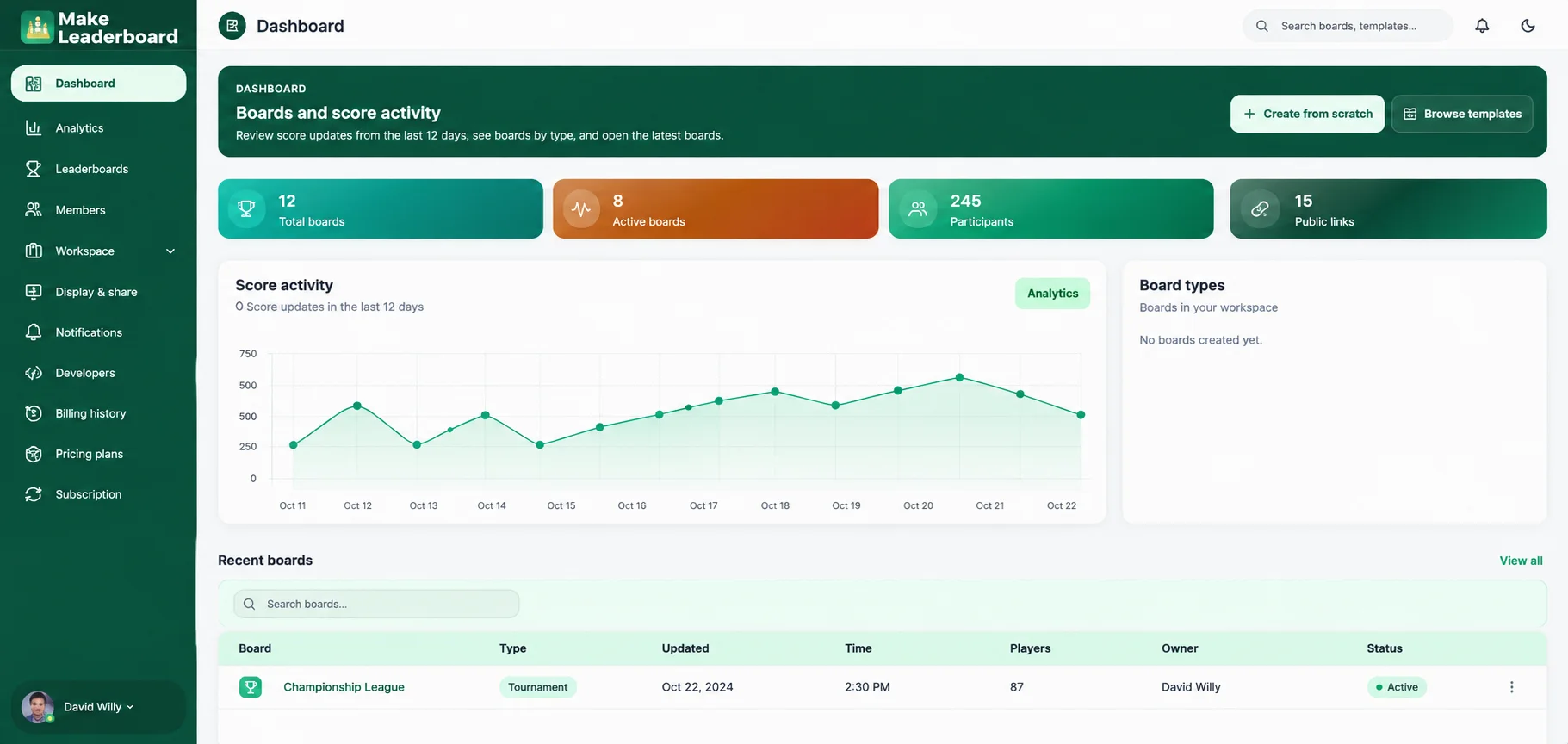
Your Entire Leaderboard Workspace at a Glance
Stay organized with a dashboard built to give you a clear picture of your leaderboard activity. Review boards, participants, recent score updates, and other workspace information without switching between scattered tools.
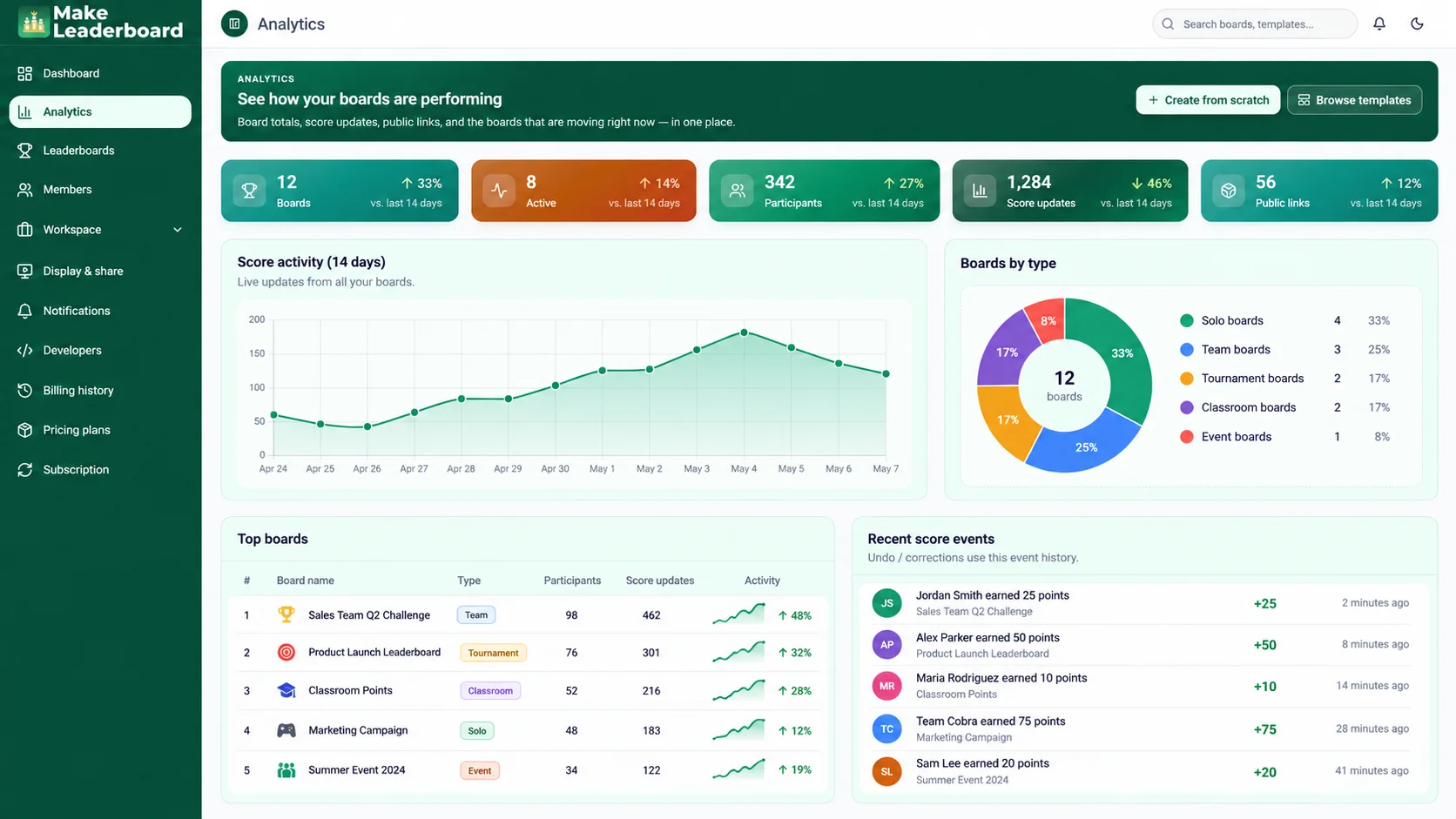
Turn Leaderboard Activity Into Useful Insights
Understanding competition progress should be straightforward. Use the analytics area to explore score activity and leaderboard-related information in a dedicated view designed for easier monitoring.
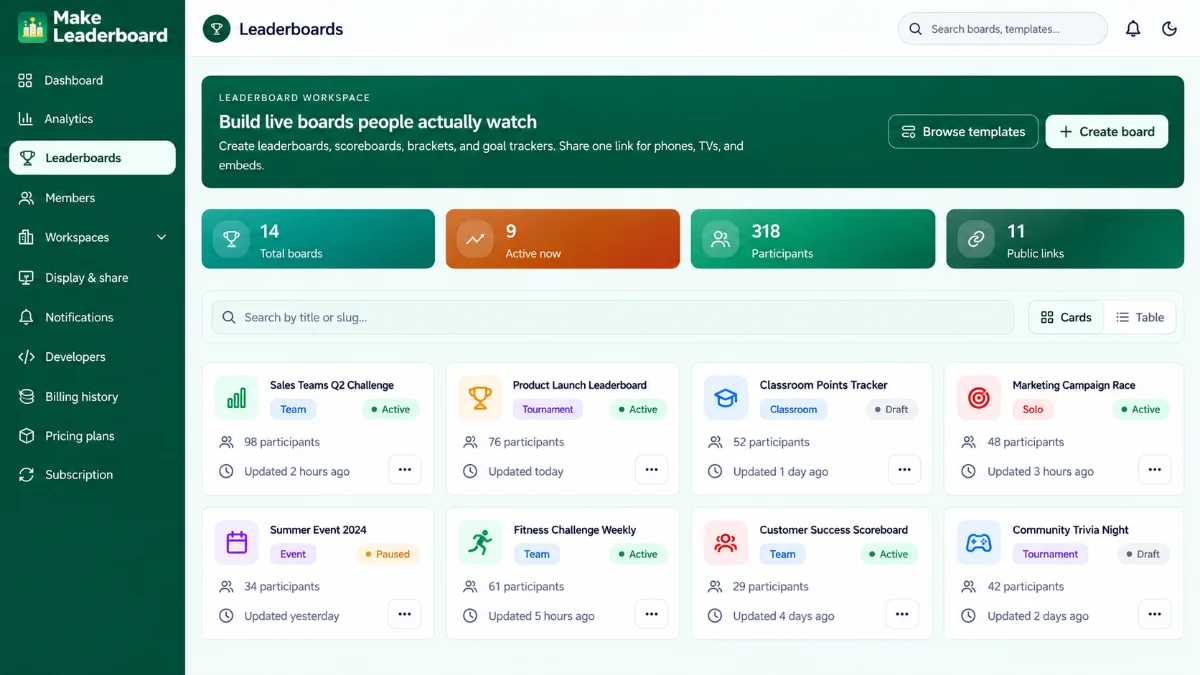
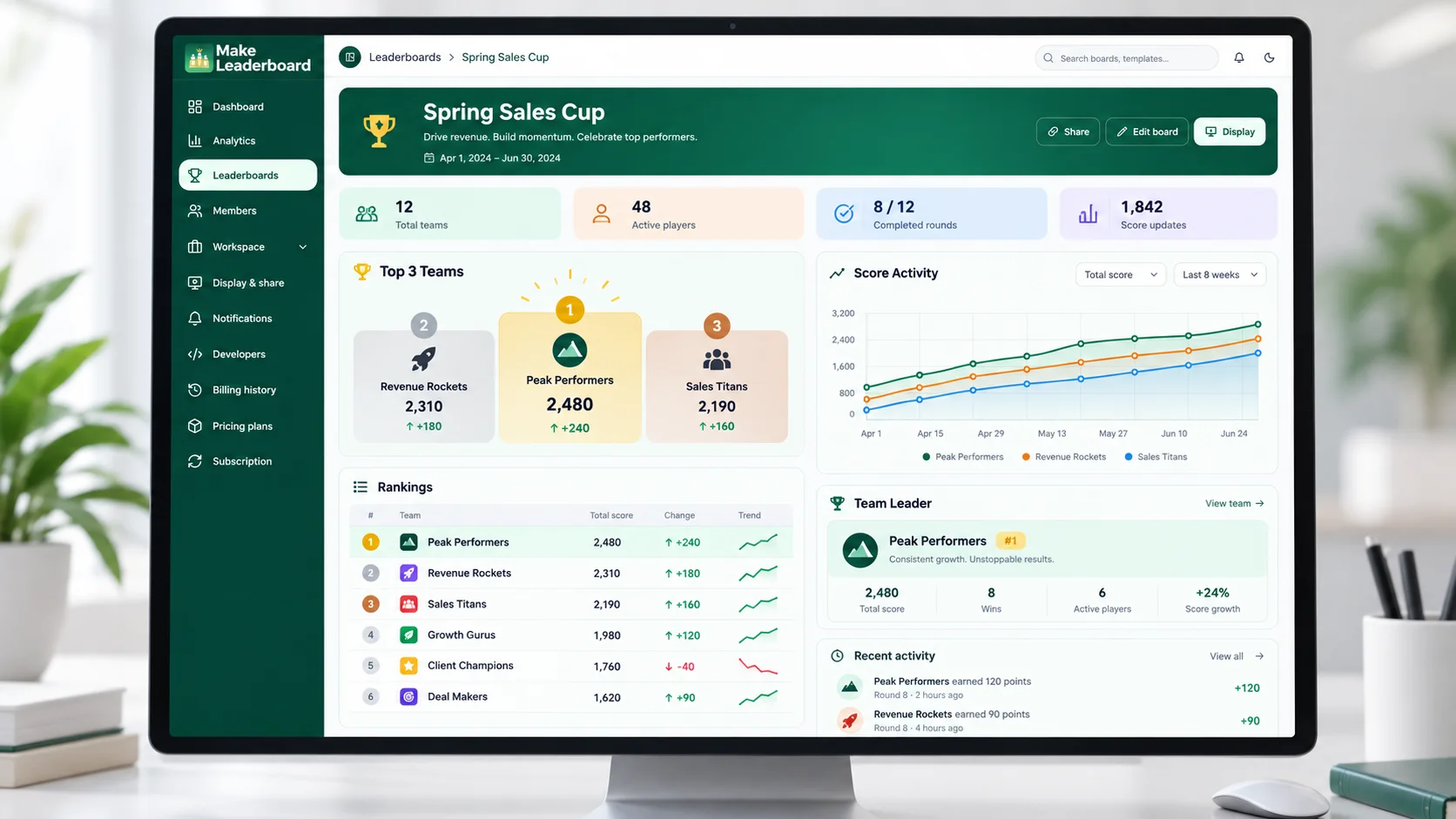
Create and Manage Leaderboards Your Way
Build leaderboards for the activities that matter to you. Keep boards organized, manage scores, and return to existing competitions through a dedicated leaderboard management area.
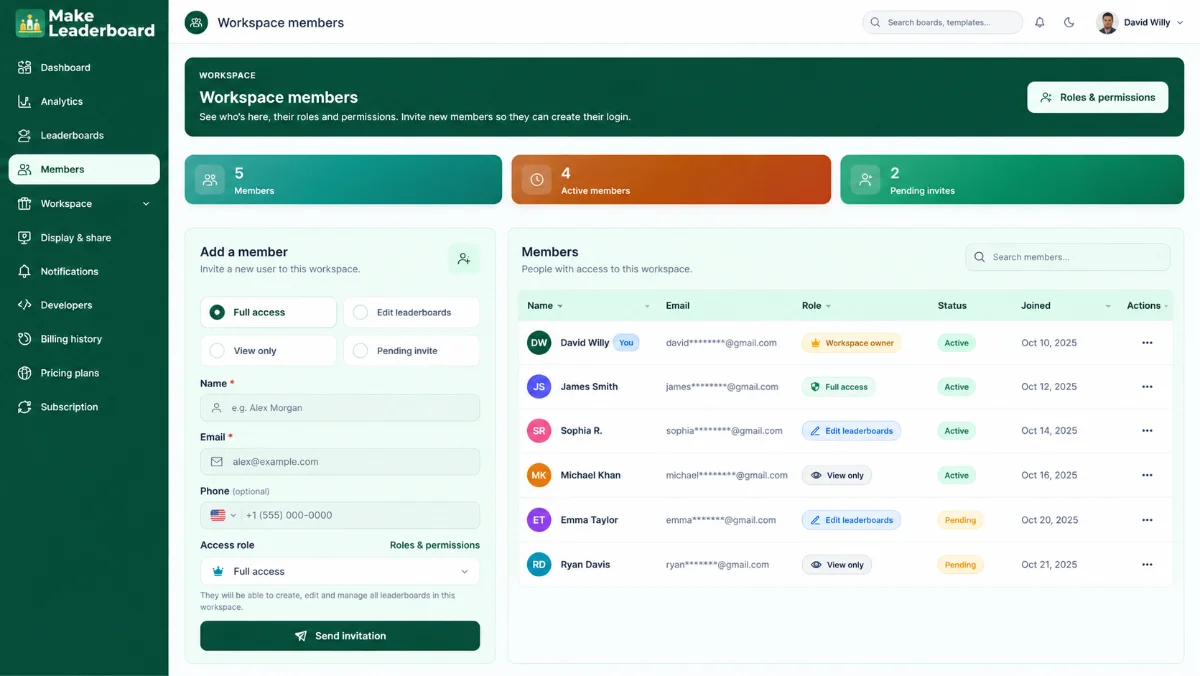
Keep Your Workspace Members Organized
Competitions often involve more than one person. Make Leaderboard includes a dedicated workspace members section so you can access member-related information and available collaboration settings from one place.
And More Tools to Power Your Leaderboards
Keep your workspace organized with dedicated tools for automation, branding, activity monitoring, sharing, notifications, and developer workflows.
Workspace Overview
Find relevant workspace information and move between your leaderboard management tools with less effort.
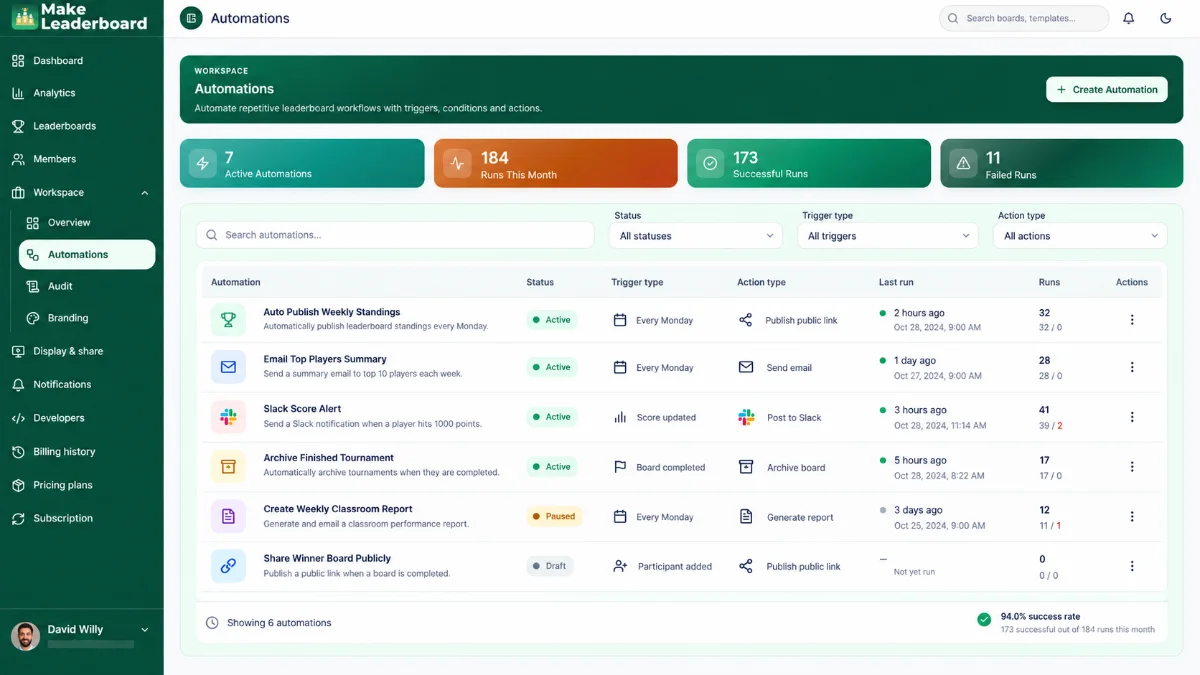
Automations
Review the workflow automation options available inside your workspace and manage them from one place.
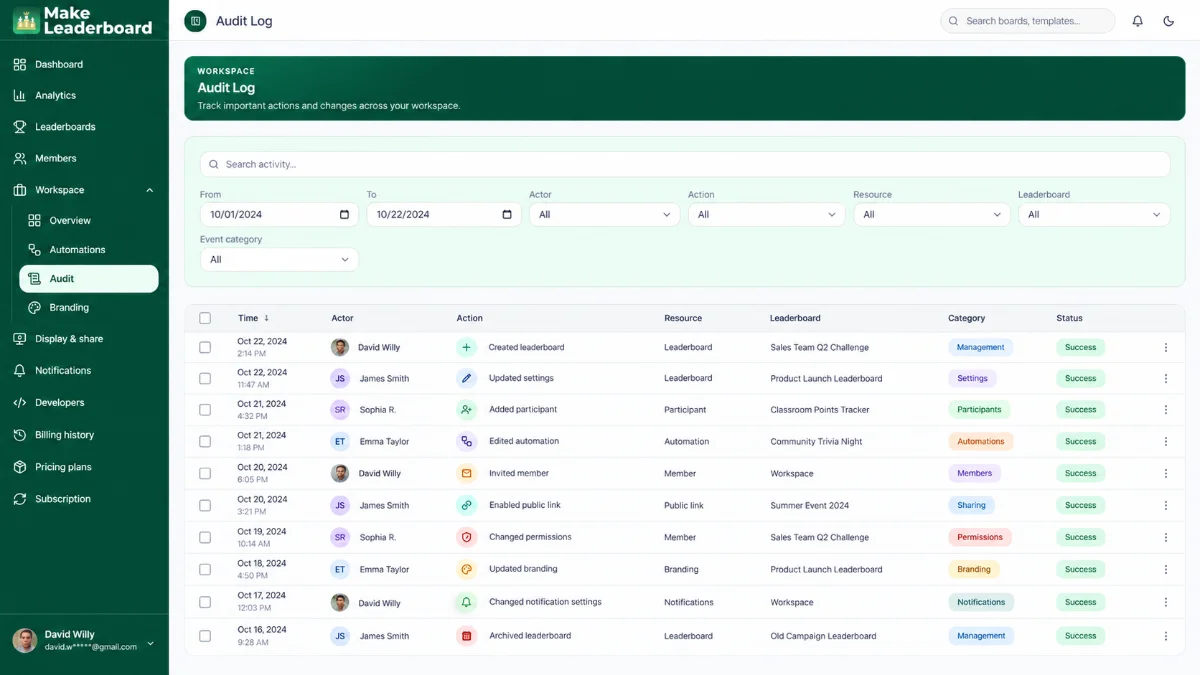
Audit
Review the activity and event information made available in your account from a dedicated activity view.
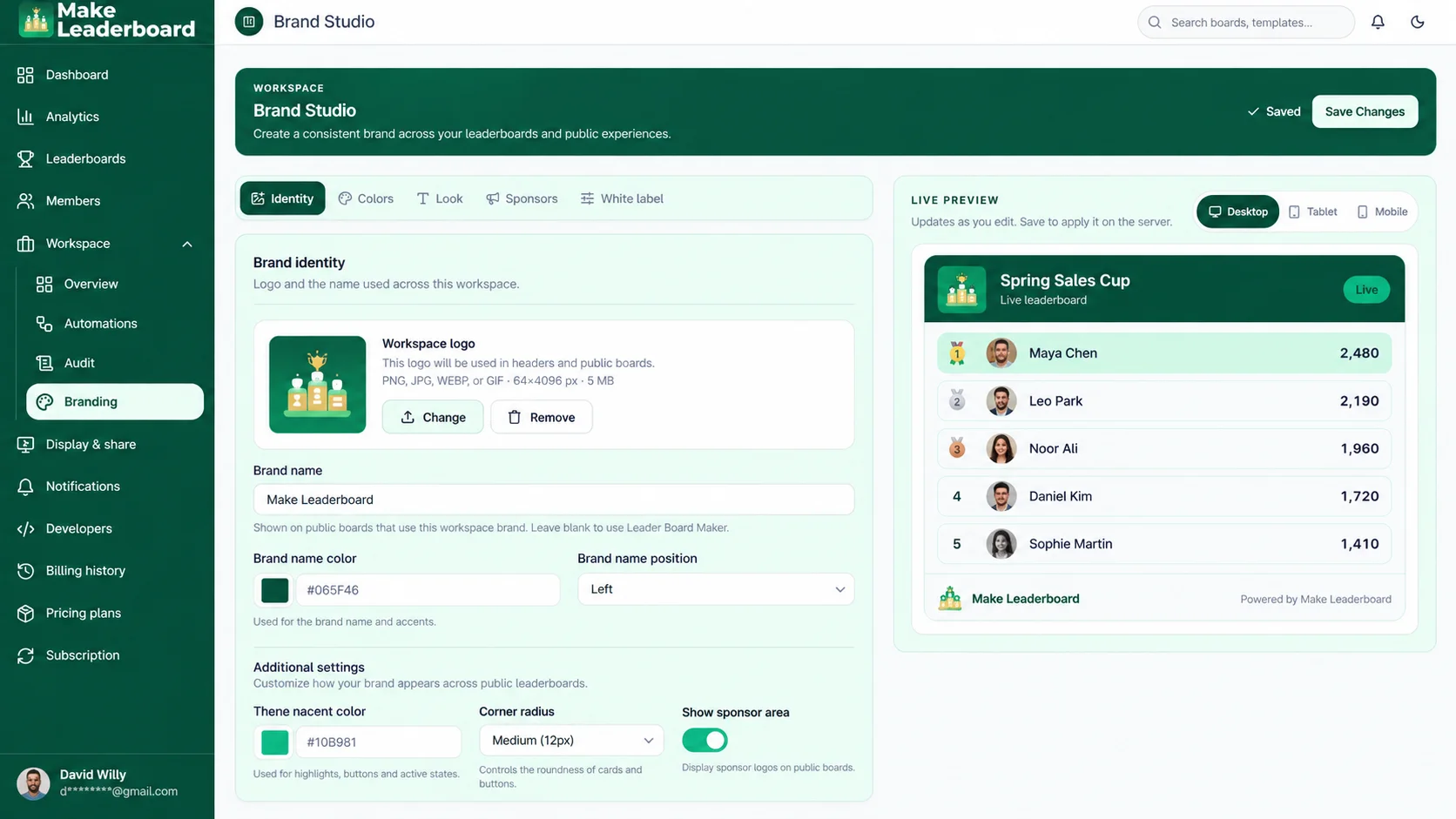
Branding
Manage the visual identity options available for a more consistent leaderboard presentation.
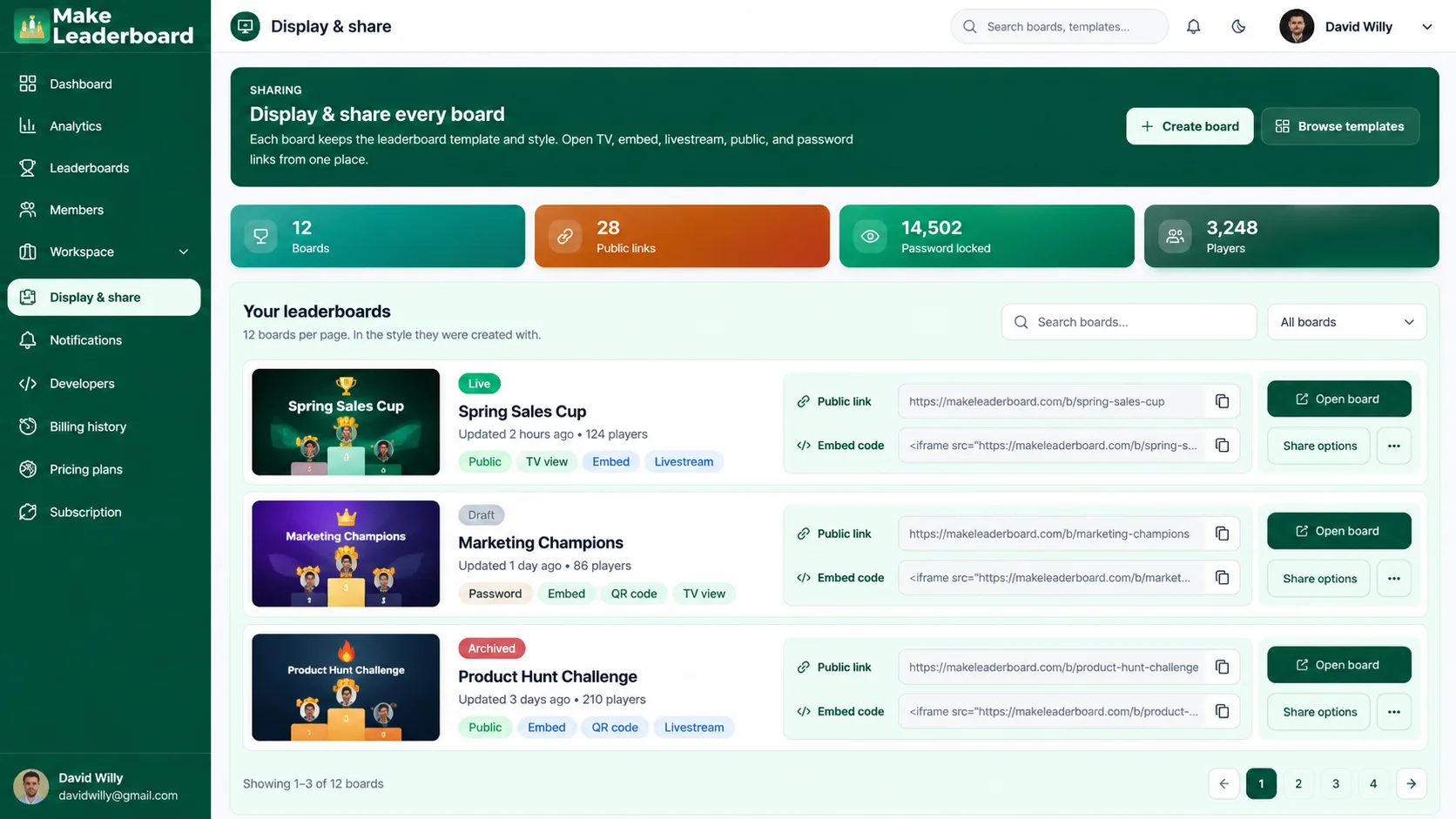
Display & Share
Explore leaderboard presentation and sharing options, including public-link management where enabled.
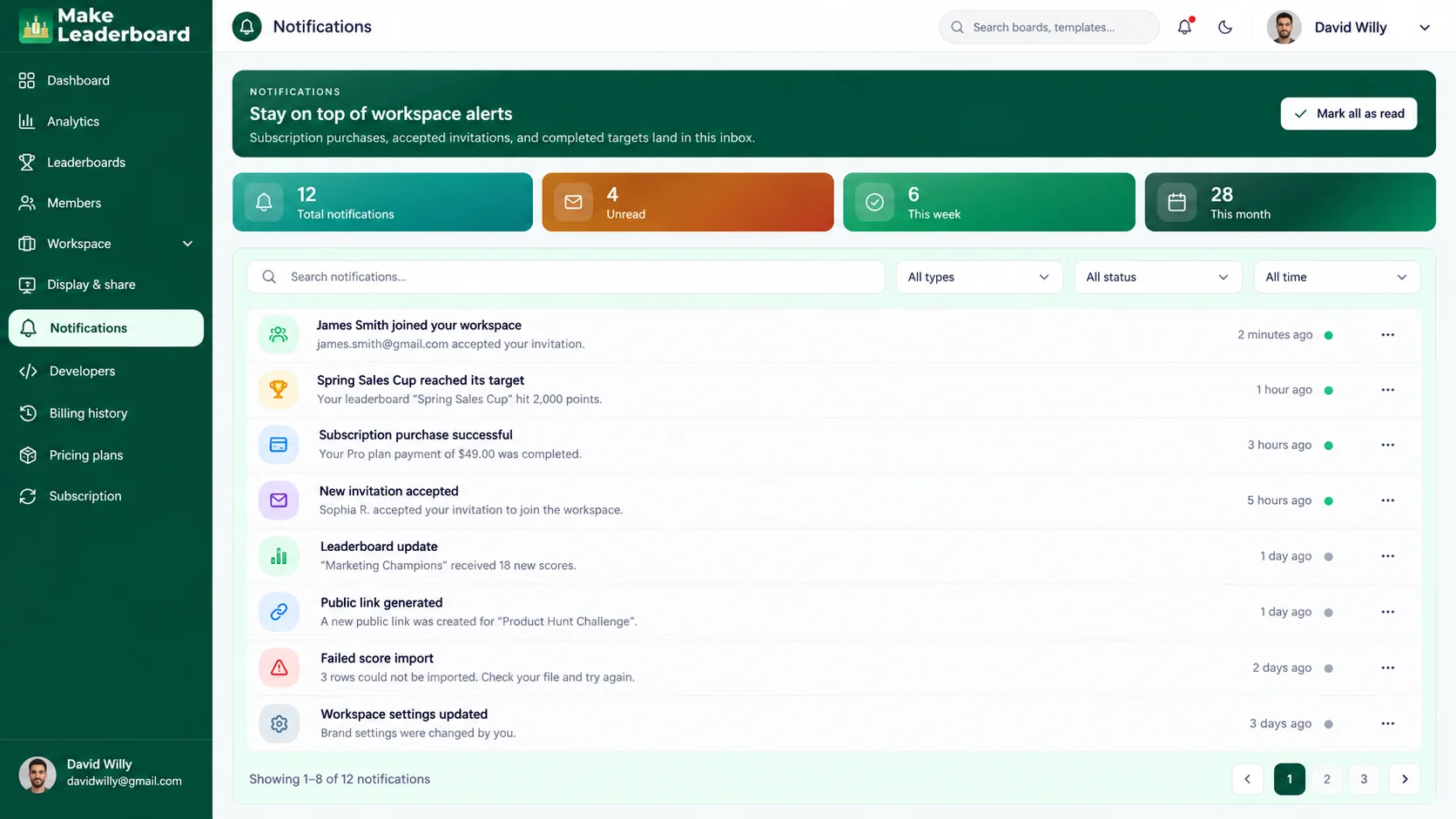
Notifications
Review and manage the notification options available to your account in one dedicated area.
Developer Tools for More Advanced Workflows
Explore the developer-focused area and available technical configuration options inside Make Leaderboard.
Explore Developer Tools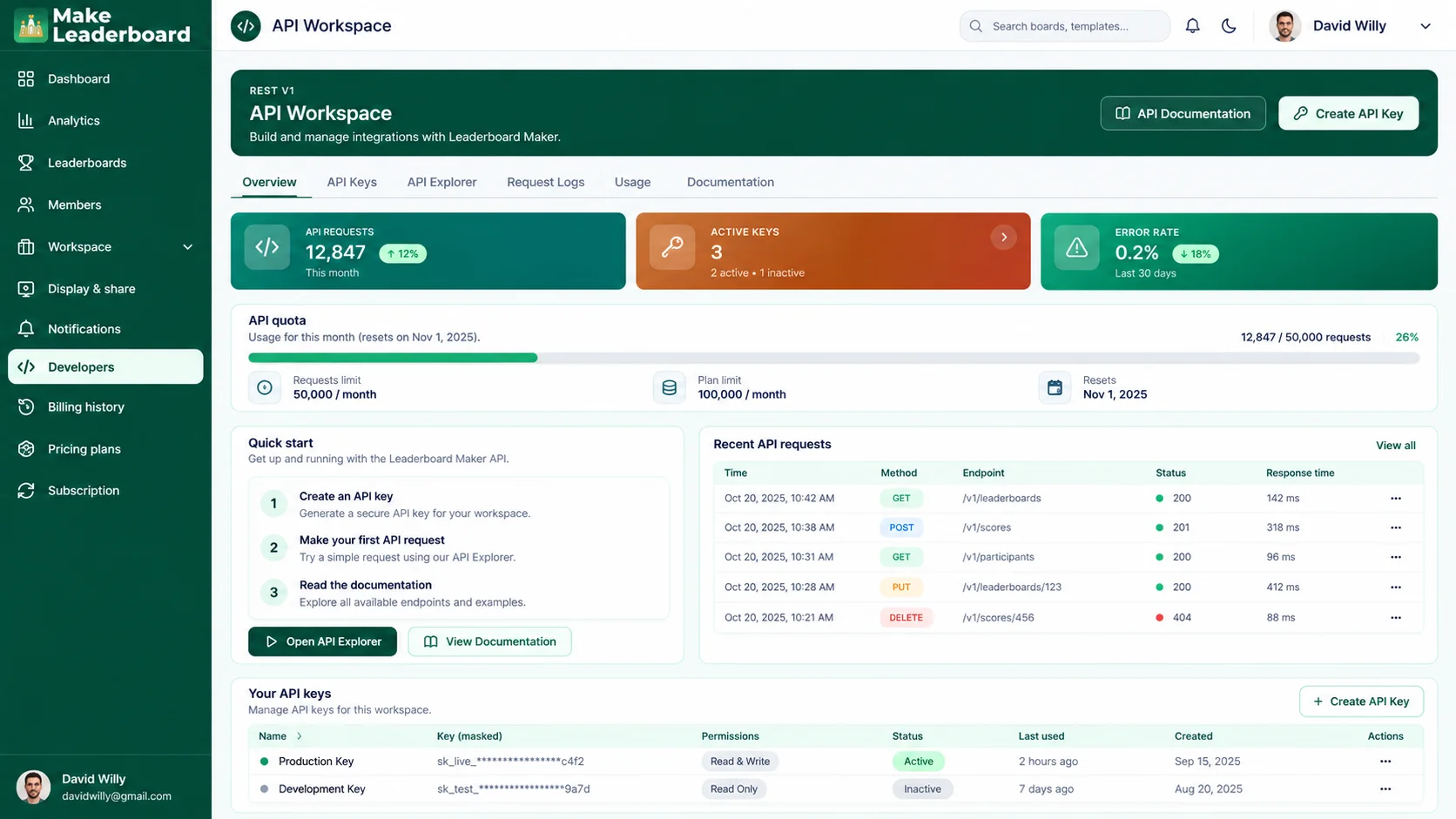
Why Choose Make Leaderboard?
Create competitions with less complexity. Bring scores, participants, rankings, and workspace tools into one organized platform built around leaderboard management.
Built Around Leaderboards
Work with a platform designed specifically for organizing ranking boards, participants, and scores.
Simple Starting Experience
Create a board from scratch or explore available templates when you need a starting point.
Centralized Management
Keep your boards, score activity, participants, and workspace tools accessible through one application.
More Organized Score Tracking
Maintain score-related information in a structured leaderboard environment instead of scattered documents.
Flexible Competition Use Cases
Use the platform for classroom points, workplace contests, community activities, sporting challenges, and more.
Sharing and Workspace Tools
Access dedicated sections for leaderboard presentation, branding, notifications, and management settings.
A Leaderboard for Every Team, Challenge, and Competition
Whether you're organizing a classroom competition, sports tournament, sales challenge, or community event, Make Leaderboard helps you keep rankings and scores organized.
Sports Organizers
Keep track of participants and scores during tournaments, leagues, school sports, and community competitions.
Schools and Teachers
Make classroom activities, quizzes, learning challenges, and group competitions easier to follow with point-based rankings.
Sales and Business Teams
Organize team scoreboards for sales challenges, company contests, and performance-based activities.
Gaming Communities
Create scoreboards for gaming contests, tournaments, and player-versus-player challenges.
Fitness and Wellness Groups
Manage scores and participant standings for fitness challenges, club competitions, and group activities.
Event and Community Organizers
Bring structure to community contests, workplace events, clubs, and other group competitions.
What People Are Saying About Make Leaderboard
From classroom challenges to team competitions, discover how Make Leaderboard can make tracking scores, managing participants, and sharing rankings simpler.
“Keeping track of scores during our tournaments used to be a headache. Make Leaderboard brings everything into one organized place, making it much easier to manage participants and follow the standings. It's exactly the kind of tool we needed.”

“I wanted a simple way to make classroom competitions more engaging without spending hours updating scores. Make Leaderboard gives me an organized way to manage student rankings and keep everyone involved. It's become a useful part of our classroom activities.”

“Running team challenges is much easier when everyone can follow their progress. I like having participant rankings, scores, and leaderboard management in one dashboard. It keeps our competitions organized and makes tracking performance simpler.”

“Managing scores for community gaming events can get messy pretty quickly. Make Leaderboard gives us a cleaner way to organize players and keep rankings visible. It's a practical solution for running friendly competitions.”

“Our group fitness challenges needed a better way to keep track of participant scores. Make Leaderboard makes it easier to organize the competition and see how everyone is doing. The straightforward dashboard is a big plus.”

“Whether we're organizing a small contest or a larger team event, keeping scores in one place makes a real difference. Make Leaderboard offers a structured way to manage participants and rankings without relying on multiple spreadsheets.”

Trusted by organized teams everywhere




Frequently Asked Questions
Have questions about creating online leaderboards, tracking scores, or managing your workspace? Here are some helpful answers about Make Leaderboard.
Ready to Create Your Next Leaderboard?
Bring your participants, scores, and rankings together in one place. Build a leaderboard for your next competition, challenge, classroom activity, or team event with Make Leaderboard.