
One Leaderboard Maker Endless Possibilities
Create leaderboards, track scores, manage participants, and share rankings — all from one organized workspace designed for competitions, classrooms, and teams.
Explore the Features
From creating a board to viewing detailed activity, find the tools you need at every stage.
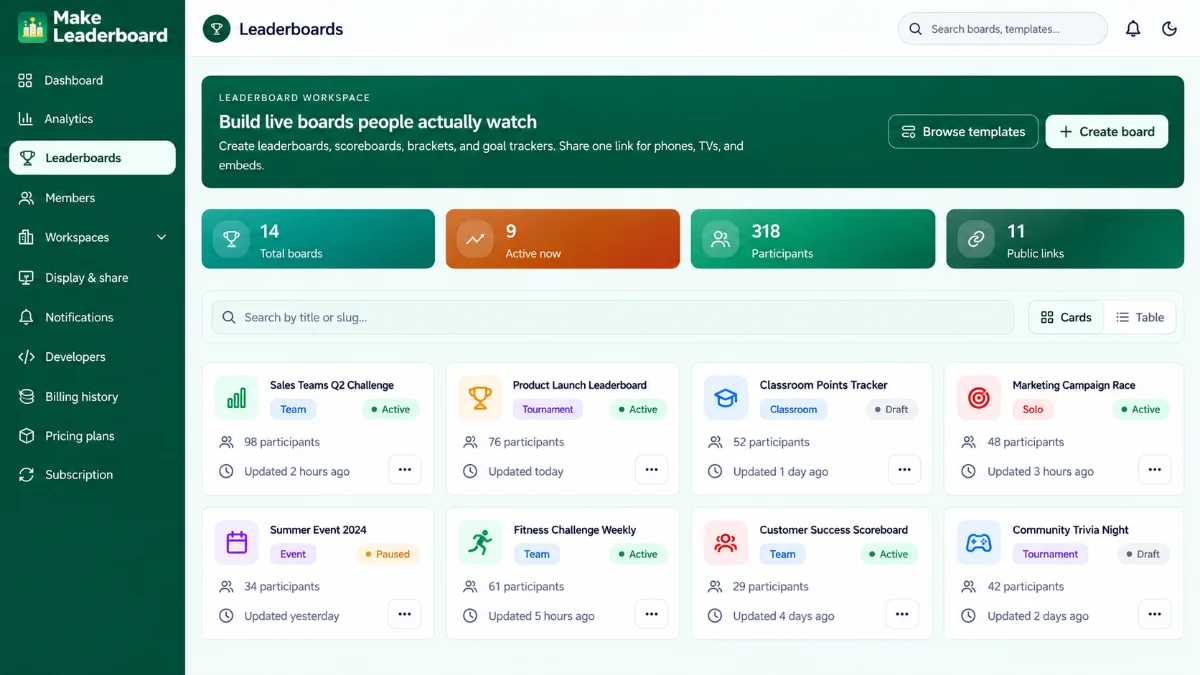
Create and Manage Leaderboards
Keep boards, scores, participants, and competition details together without juggling multiple files.
Build Your Leaderboard
Start from scratch or explore available templates. Set up a leaderboard for a competition, class activity, team challenge, or event.
- Create and organize boards
- Explore ready-made templates
- Access score and participant information
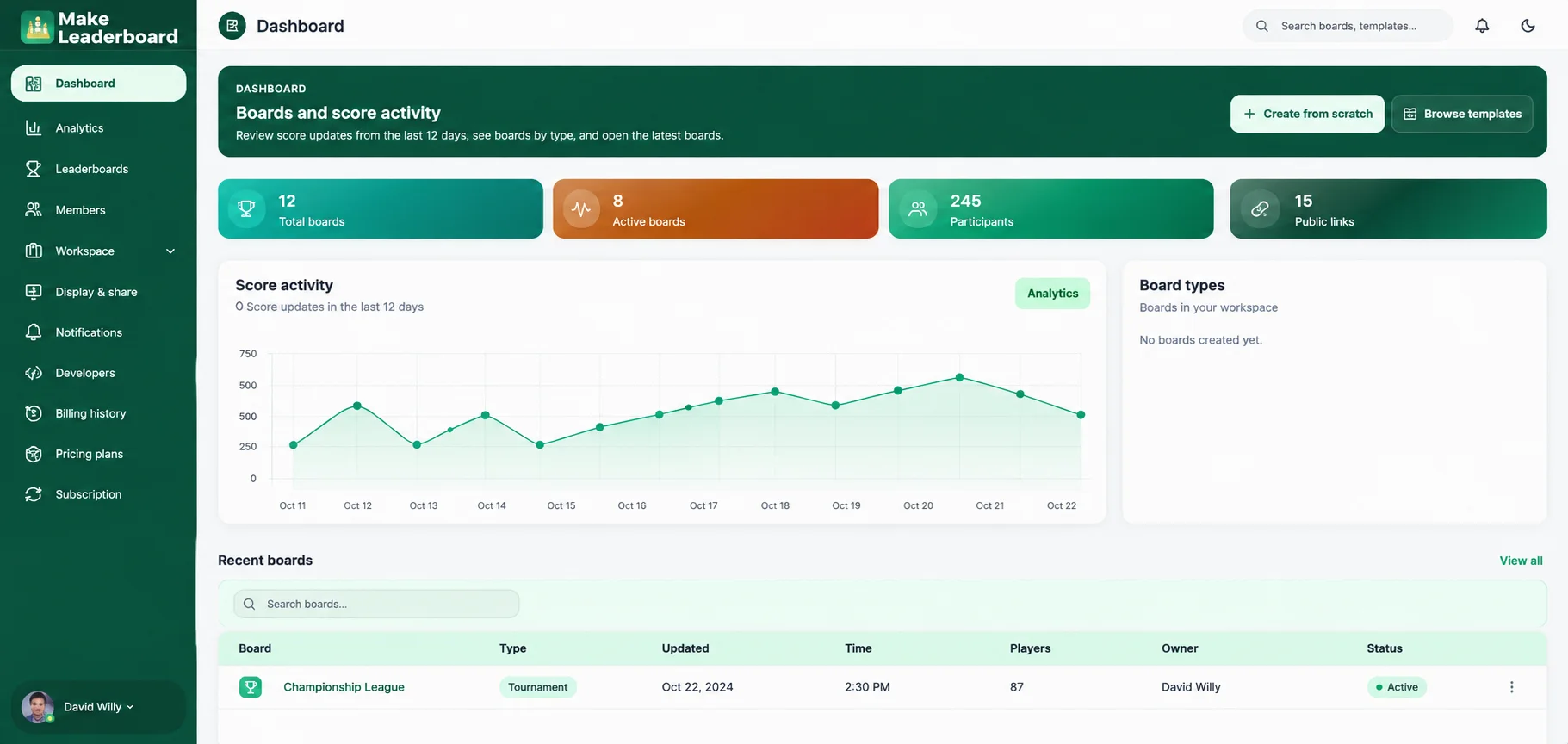
See Your Workspace at a Glance
Review your boards and recent activity from a central dashboard built for quick navigation.
- View total and active boards
- Review score activity and participants
- Return to recent boards quickly
See Progress with Analytics
Track score updates, compare board activity, and review useful performance details in a dedicated analytics workspace.
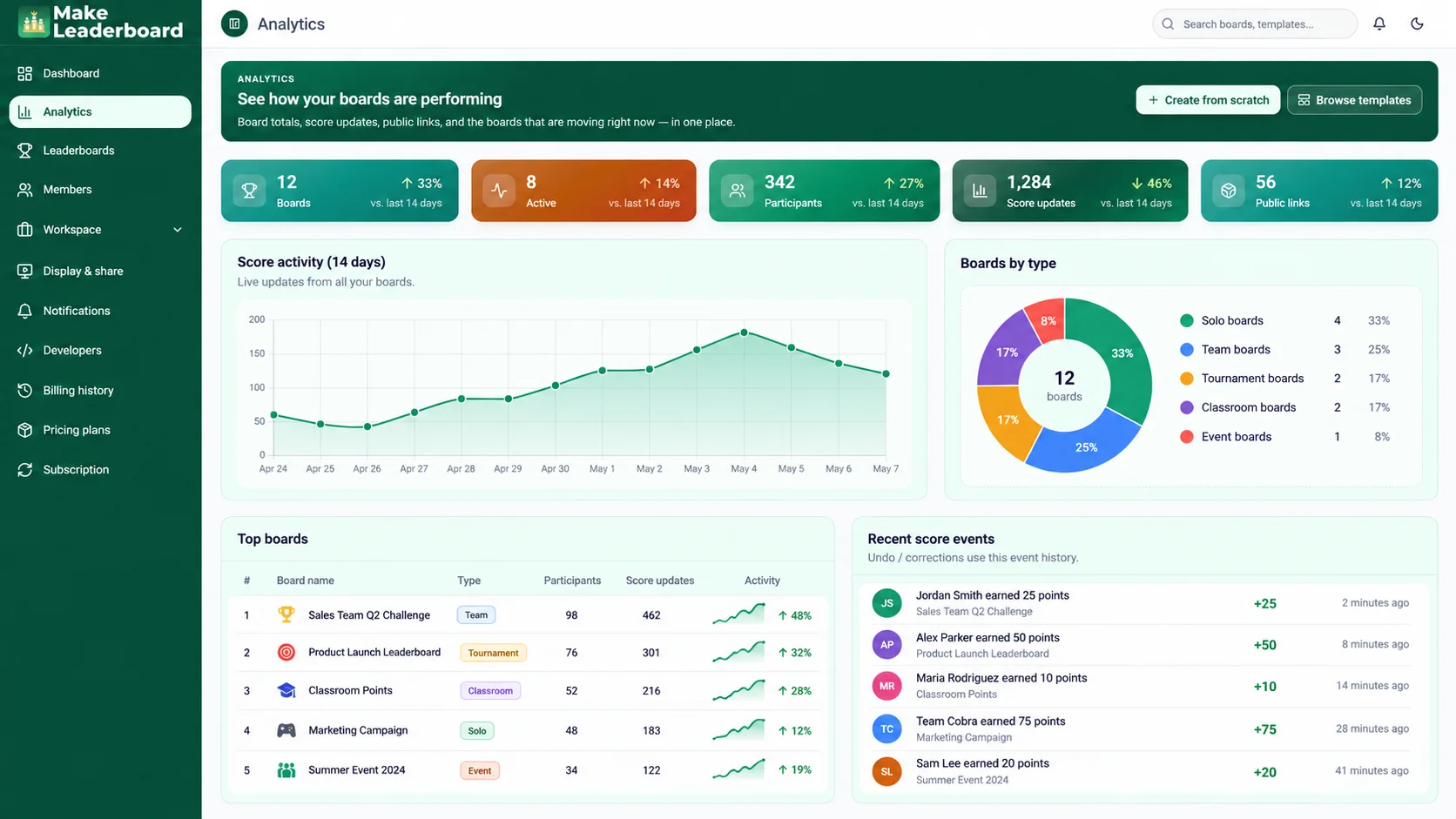
Score Activity
Follow score changes across your boards over time.
Board Overview
Review board types, top boards, and participants.
Recent Events
See recent scoring events and relevant activity.
Bring Your Team Together
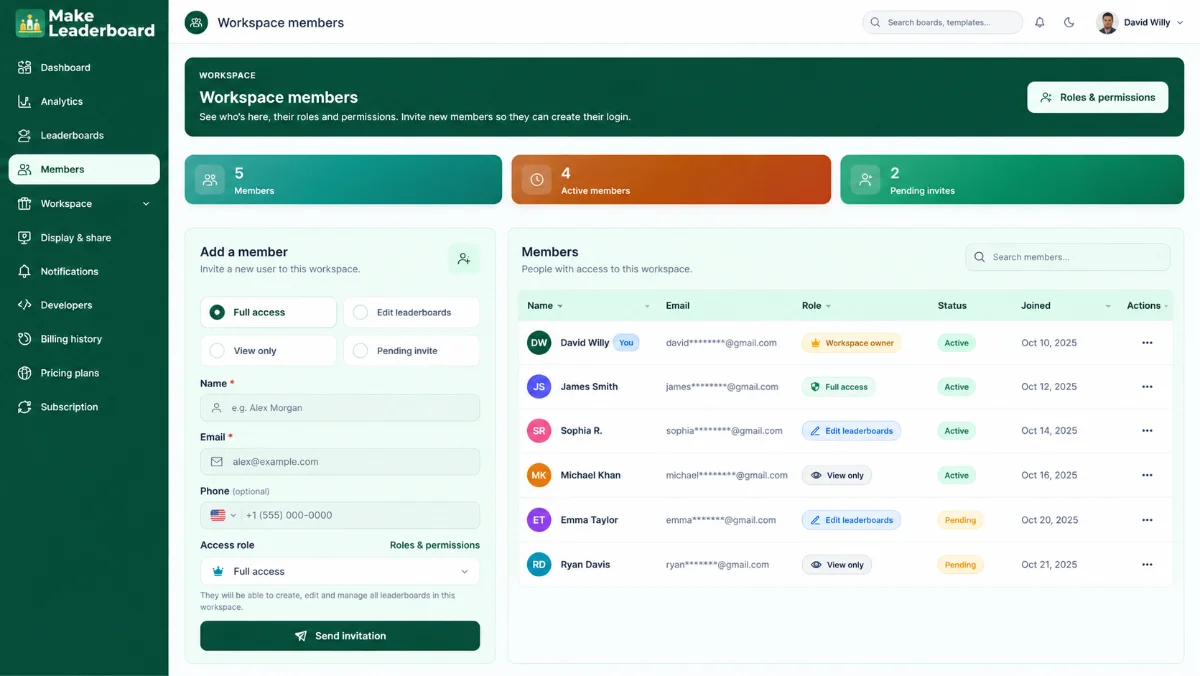
Keep workspace members organized with invitations, access roles, and the available permission settings.
- Invite members to your workspace
- Review member and invitation details
- Access role and permission controls
Automate Tasks and Review Activity
Spend less time on repetitive administration and keep track of important workspace changes.
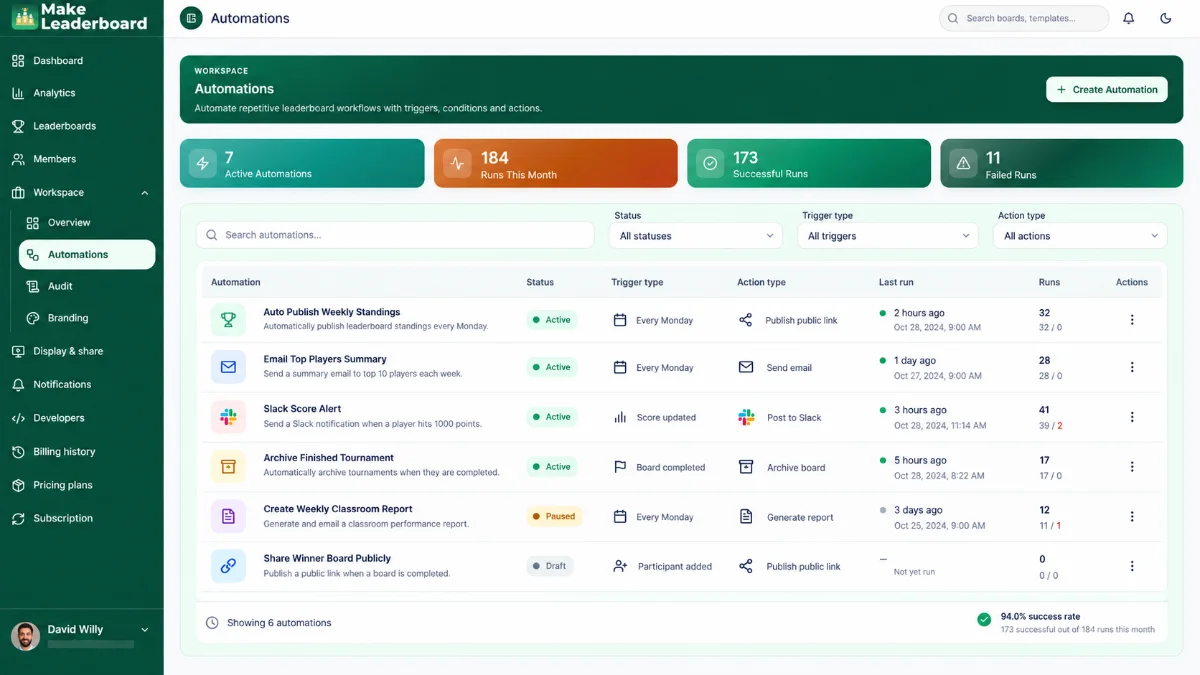
Manage Workflow Automations
Set up available triggers, conditions, and actions, and monitor automation results from one screen.
- Create and manage workflows
- Review active and paused automations
- Check run outcomes
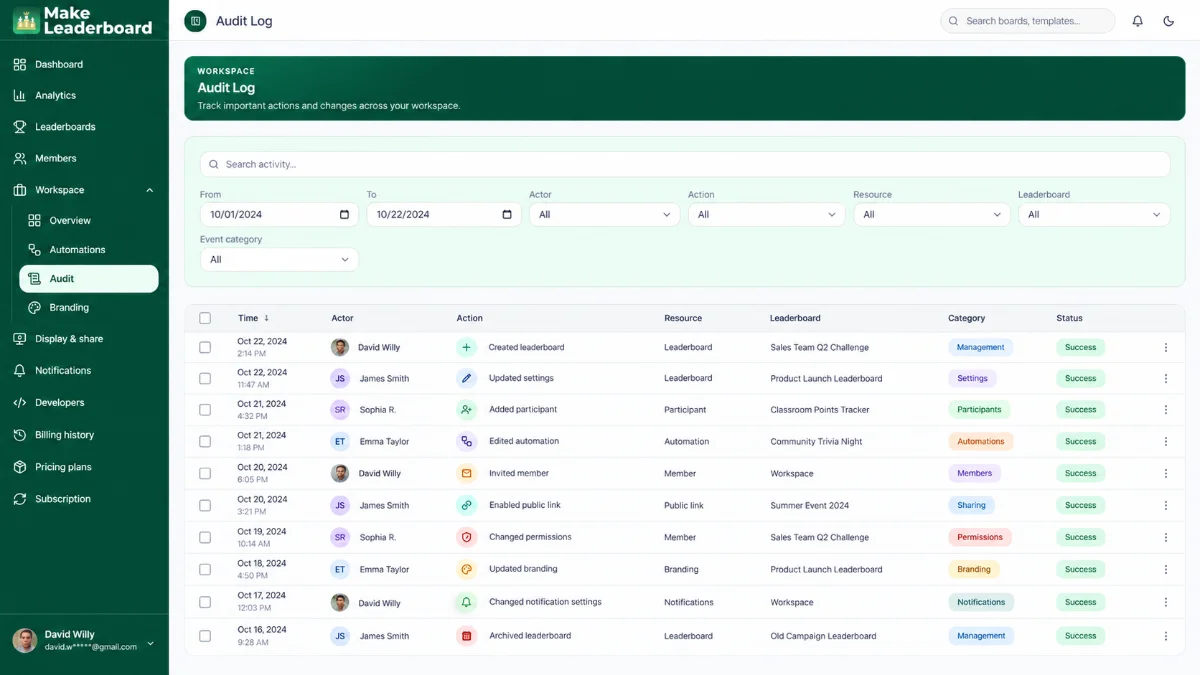
Keep an Organized Audit Log
Search and filter a history of workspace actions to understand what changed and when.
- Review workspace actions
- Filter events by date and actor
- Find events linked to resources and boards
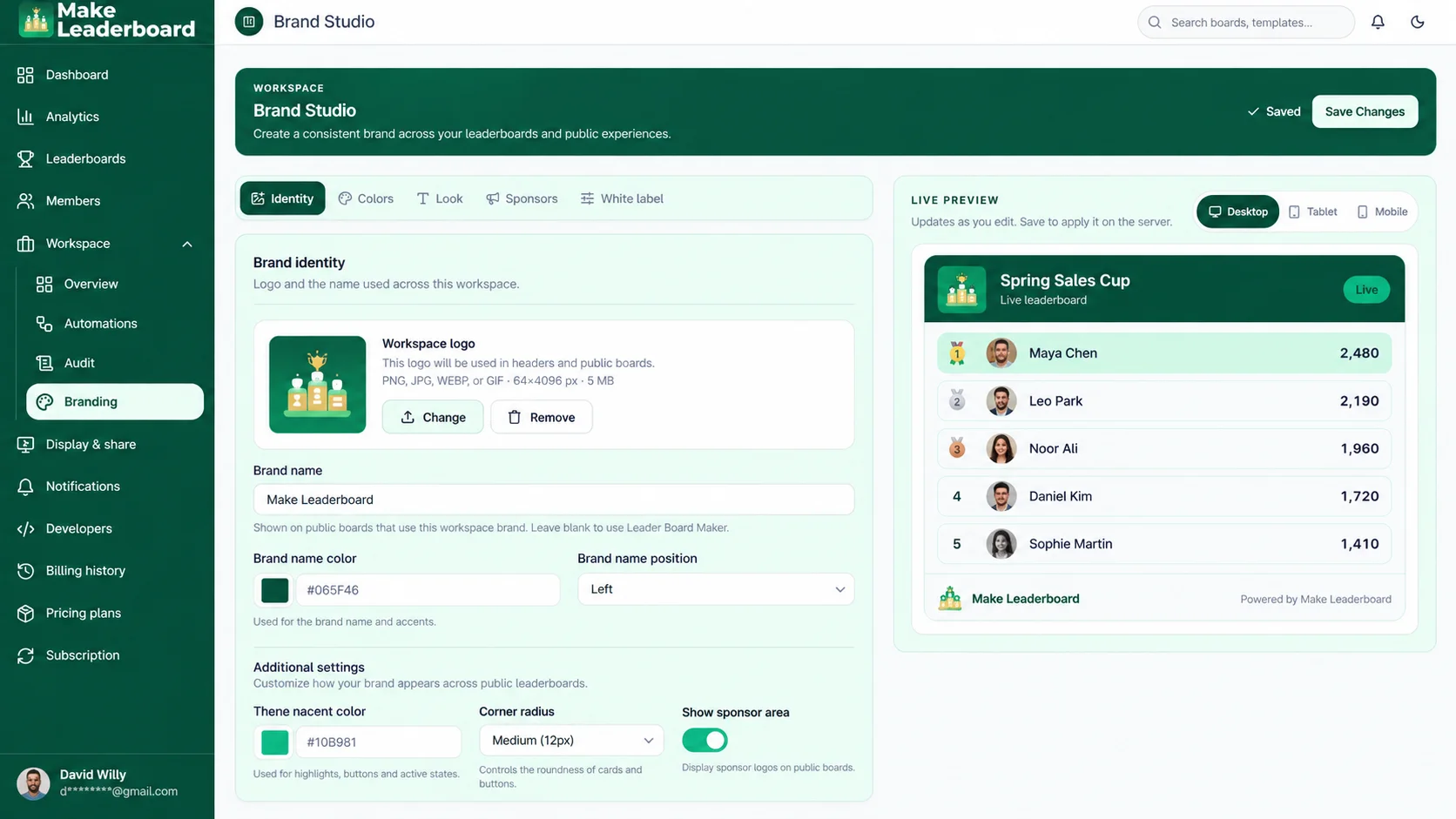
Give Your Leaderboards a Consistent Look
Make your rankings feel connected to your organization with Brand Studio settings and a live preview.
- Manage your logo and brand name
- Choose available brand colors and appearance options
- Preview supported leaderboard styles
Share Rankings Where They Matter
Show results to participants and viewers through available public links, embeds, screen displays, and other sharing options.
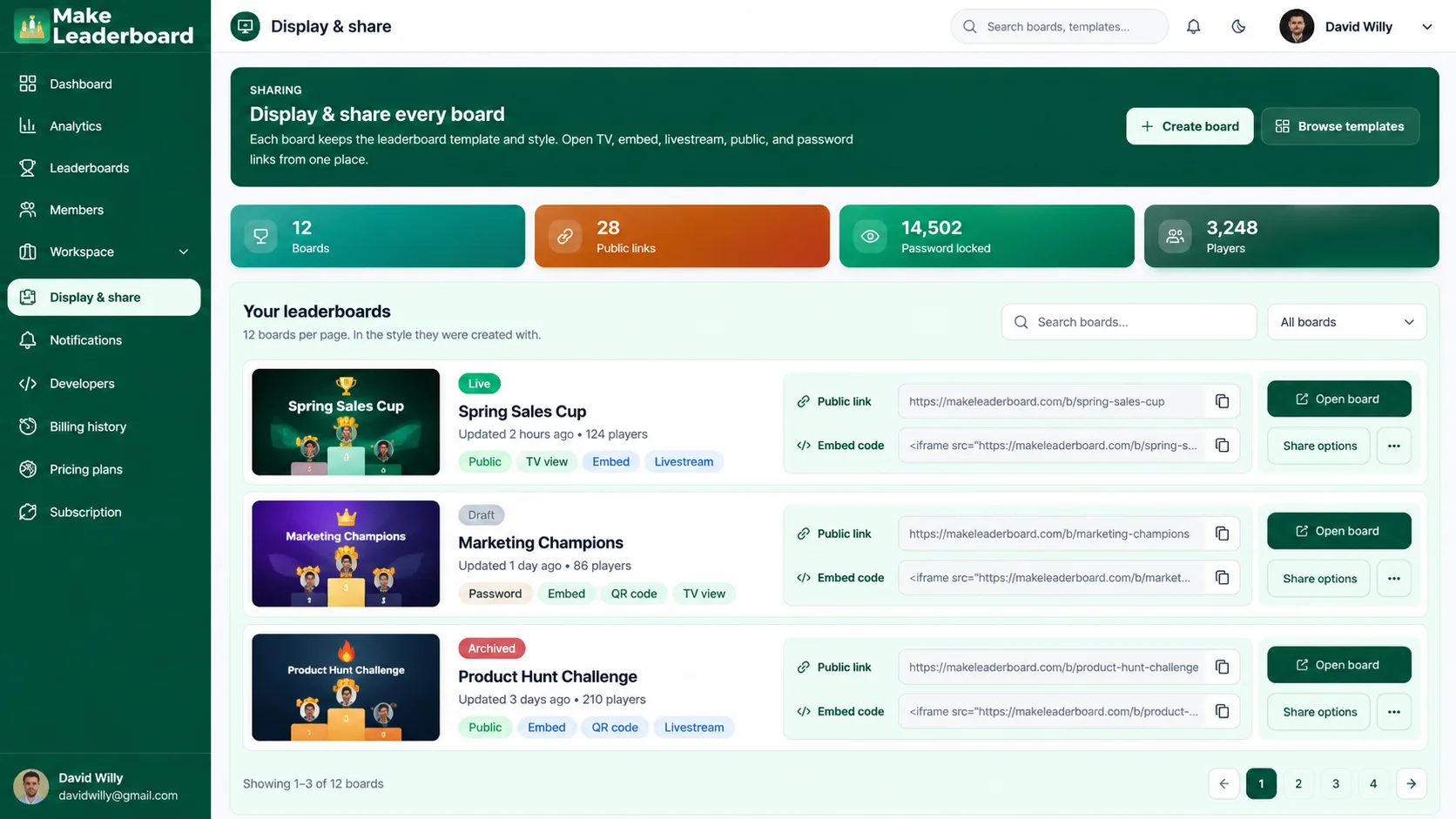
Public Links
Share a board with a link.
TV Displays
Present rankings on big screens.
Embeds
Show standings on supported websites.
Access Options
Control sharing where supported.
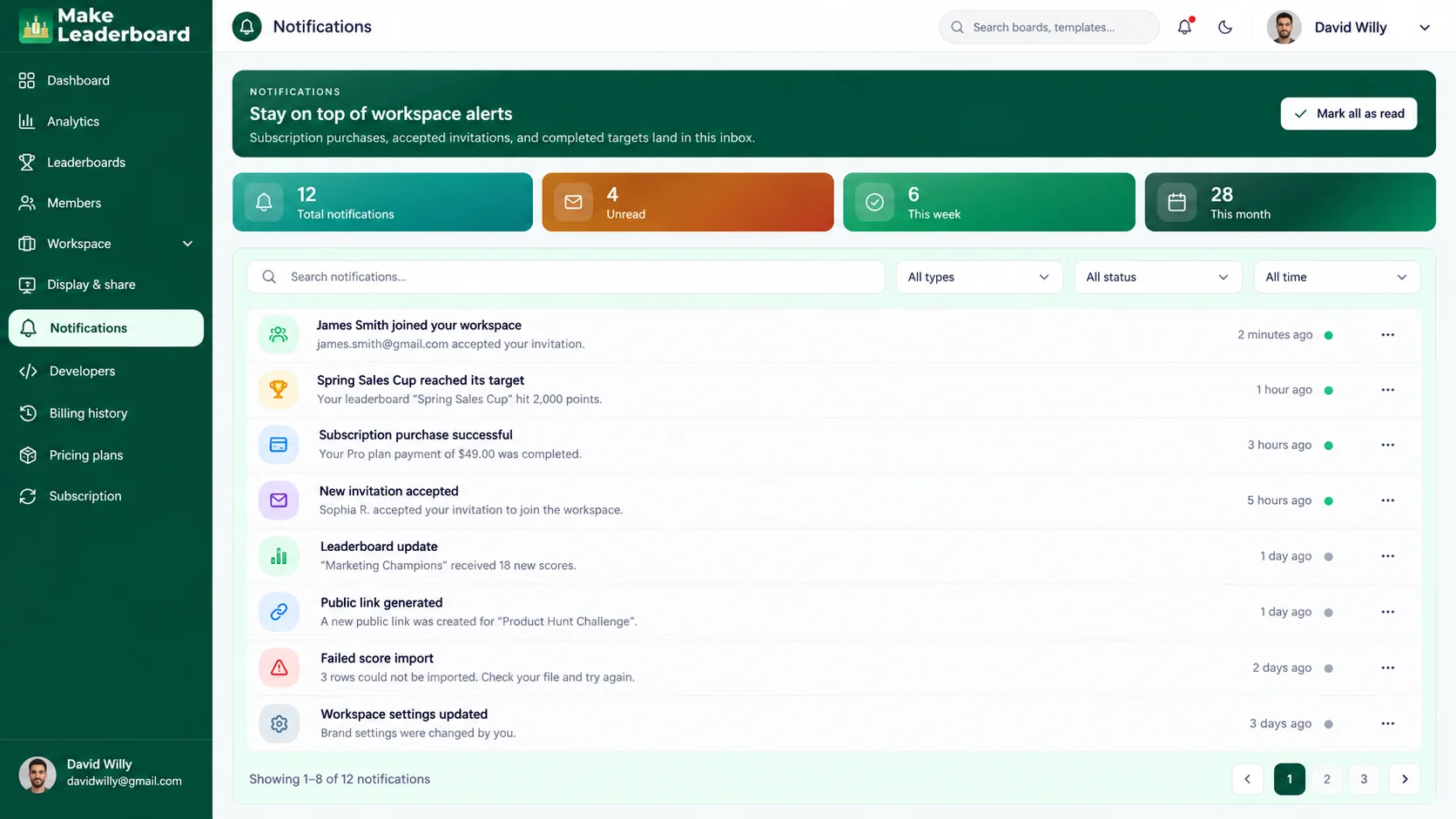
Stay Up to Date with Notifications
Find relevant workspace alerts in one place, including supported invitation, subscription, and target events.
- View notifications in one inbox
- Check unread updates
- Review recent workspace alerts
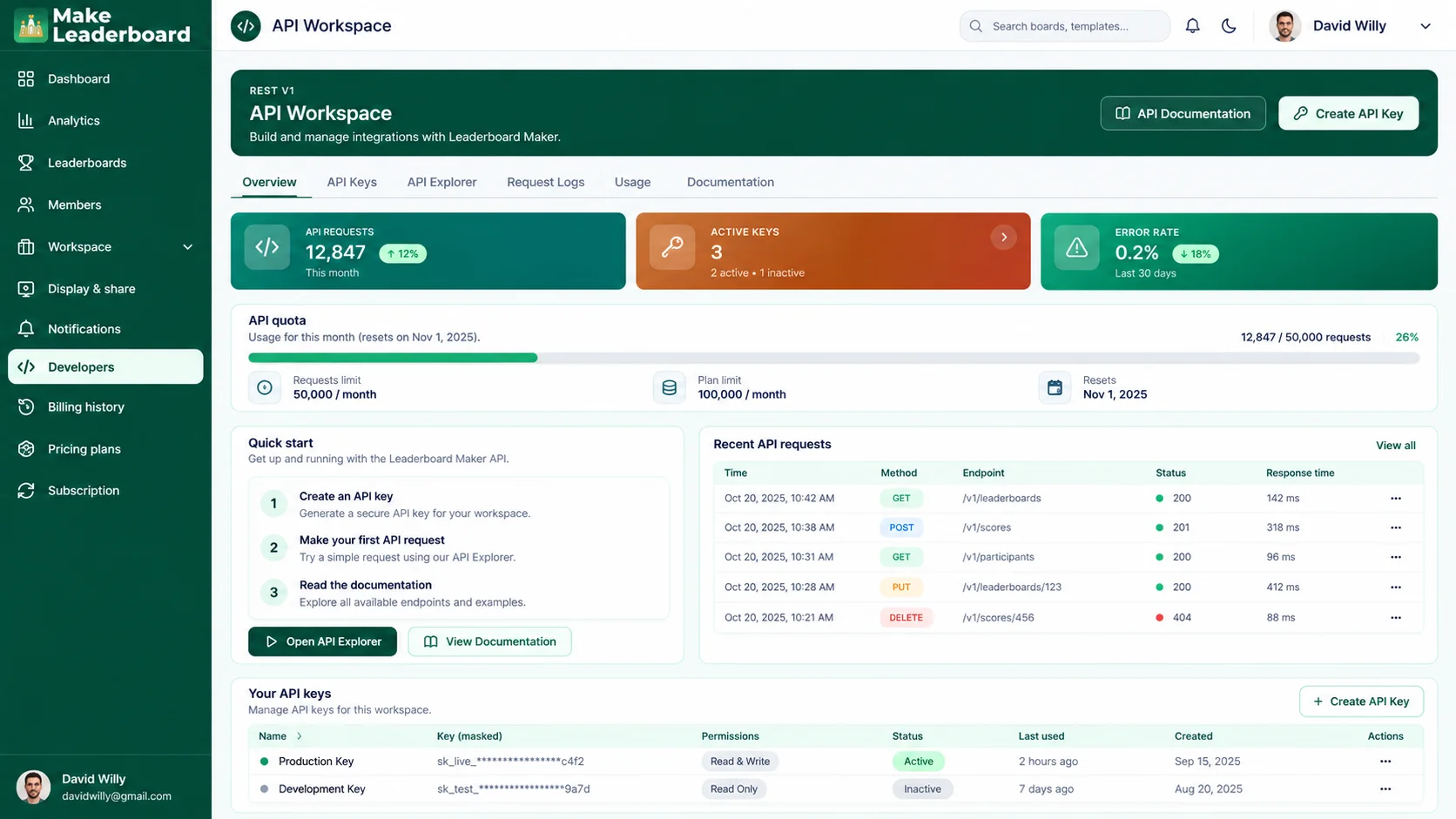
Developer Tools for Connected Workflows
Use the API workspace to explore available developer functionality and manage technical access.
- Manage API credentials securely
- Review request logs and usage
- Explore available documentation and API tools
From Setup to Standings
A simple workflow to keep your competition organized from start to finish.
-
01
Create a Board
Start a leaderboard or explore a template.
-
02
Add Participants
Organize people or teams in your competition.
-
03
Track Scores
Keep the standings updated as your event progresses.
-
04
Customize & Share
Choose supported branding and display options.
-
05
Review Progress
Return to analytics and activity reports.
What People Are Saying About Make Leaderboard
From classroom challenges to team competitions, discover how Make Leaderboard can make tracking scores, managing participants, and sharing rankings simpler.
“Keeping track of scores during our tournaments used to be a headache. Make Leaderboard brings everything into one organized place, making it much easier to manage participants and follow the standings. It's exactly the kind of tool we needed.”

“I wanted a simple way to make classroom competitions more engaging without spending hours updating scores. Make Leaderboard gives me an organized way to manage student rankings and keep everyone involved. It's become a useful part of our classroom activities.”

“Running team challenges is much easier when everyone can follow their progress. I like having participant rankings, scores, and leaderboard management in one dashboard. It keeps our competitions organized and makes tracking performance simpler.”

“Managing scores for community gaming events can get messy pretty quickly. Make Leaderboard gives us a cleaner way to organize players and keep rankings visible. It's a practical solution for running friendly competitions.”

“Our group fitness challenges needed a better way to keep track of participant scores. Make Leaderboard makes it easier to organize the competition and see how everyone is doing. The straightforward dashboard is a big plus.”

“Whether we're organizing a small contest or a larger team event, keeping scores in one place makes a real difference. Make Leaderboard offers a structured way to manage participants and rankings without relying on multiple spreadsheets.”

Trusted by organized teams everywhere




Frequently Asked Questions
Quick answers about the tools available in Make Leaderboard.
Make Leaderboard brings together board creation, score tracking, participant management, analytics, workspace tools, branding, sharing, and developer functionality.
You can create boards from scratch or explore templates for different challenges. The exact formats depend on the options available within the app.
Yes. The dashboard and analytics areas show available score activity, board information, and related insights.
The Members area provides invitation and role-management tools for supported workspace accounts.
The Automations workspace supports available workflows built around triggers, conditions, and actions. Specific options depend on your account.
Brand Studio includes settings for brand identity and appearance, with live-preview options where available.
The Display & Share area includes supported public links, TV views, website embeds, and access settings.
Yes. Developer tools include API key management, request logs, usage information, and technical documentation.
Ready to Create Your Next Leaderboard?
Build a board, organize participants, track scores, and share rankings with Make Leaderboard.