


Opens in a new tab. Your article title and link are shared only with the AI assistant you choose.
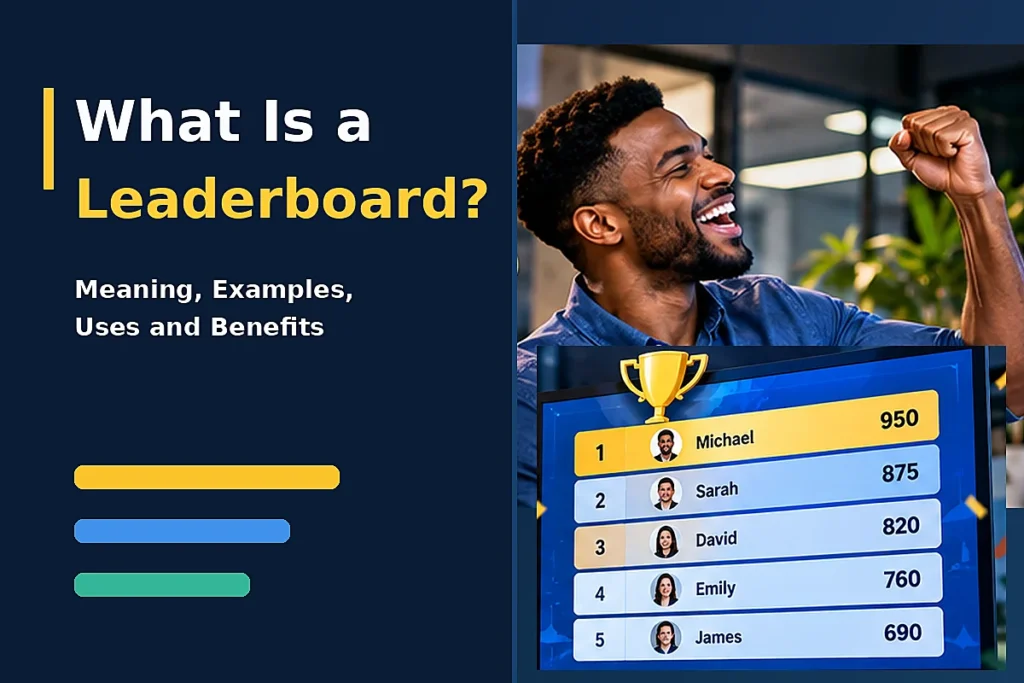
What is a leaderboard, and why can seeing your name move up a ranking make an ordinary activity more exciting? Whether you are tracking sales, organizing a competition, or measuring classroom performance, a leaderboard turns individual results into visible rankings. It gives everyone a clear picture of who leads, who is improving, and how much progress remains.
However, a leaderboard does more than display winners. Its scoring rules, design, and visibility can influence how people work, learn, and compete. This guide explains how leaderboards work, their different types, practical examples, benefits, limitations, and how you can create a fair ranking system that encourages meaningful progress.
What Is a Leaderboard and How Does It Work?
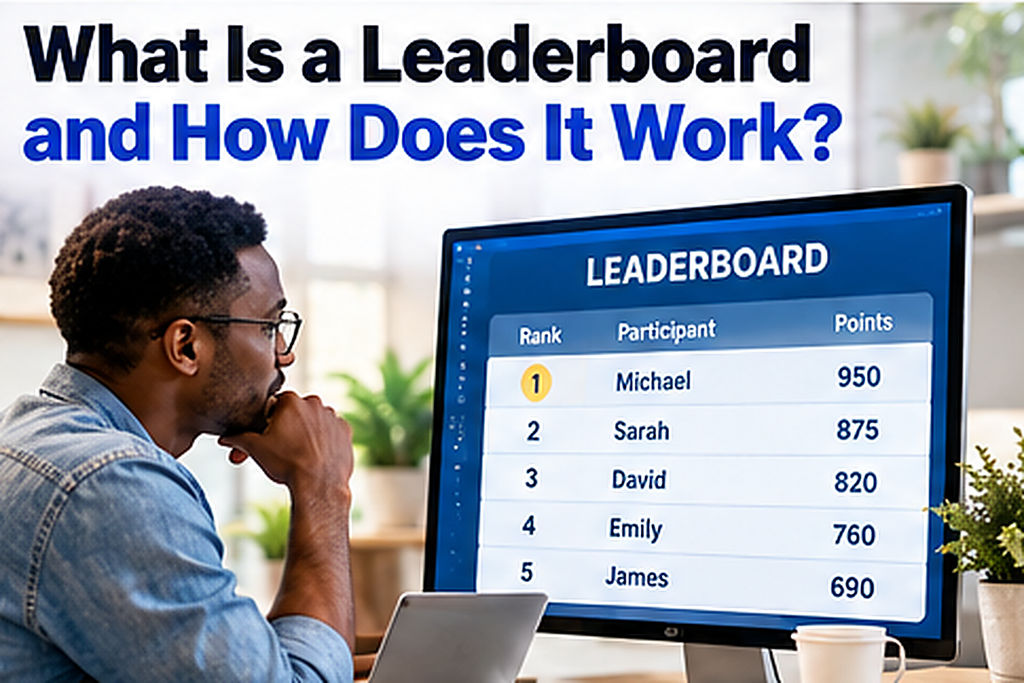
A leaderboard is a visual ranking system that organizes participants according to their scores, achievements, or performance against a defined metric. It typically displays names, positions, and scores in descending order, with the highest-performing participant at the top. Some leaderboards update immediately when results change, while others refresh at scheduled intervals.
Consider a sales competition involving five employees who earn points for closing deals. As each employee completes a sale, their score increases and their position may change. A leaderboard makes those differences visible without requiring everyone to examine separate performance reports.
A leaderboard typically contains these elements:
- Rank: The participant’s position in the competition.
- Name: The individual, team, or organization being ranked.
- Score: The numerical value used to determine placement.
- Metric: The activity being measured, such as revenue or points.
- Timeframe: The period covered by the rankings.
- Updates: Changes made as new results become available.
For example, imagine your team needs a public display of weekly sales achievements. You could use a leaderboard maker that makes every score count to organize the competition around measurable performance. The key decision is choosing a meaningful scoring system before you display the results.
What Does a Leaderboard Look Like?
A simple leaderboard may look like this:
| Rank | Participant | Points |
| 1 | Michael | 950 |
| 2 | Sarah | 875 |
| 3 | David | 820 |
| 4 | Emily | 760 |
| 5 | James | 690 |
Michael leads with the highest score, while James is in fifth place. If Sarah earns another 100 points, her total becomes 975 and she moves into first place. This immediate comparison makes leaderboards useful for activities where progress and competition matter.
Must-know Tip: A leaderboard should measure meaningful achievement rather than activity alone. Ranking employees by completed calls may encourage quantity, while ranking them by qualified sales results provides a different view of performance. Choose a metric that reflects the outcome you actually want.
What Are the Different Types of Leaderboards?
Not every leaderboard serves the same purpose, and choosing the wrong format can create misleading comparisons. Some measure individual achievements, while others show collective results, temporary standings, or progress across an entire organization. Understanding these differences helps you select a ranking system that fits your goals.
Common Leaderboard Types and Examples
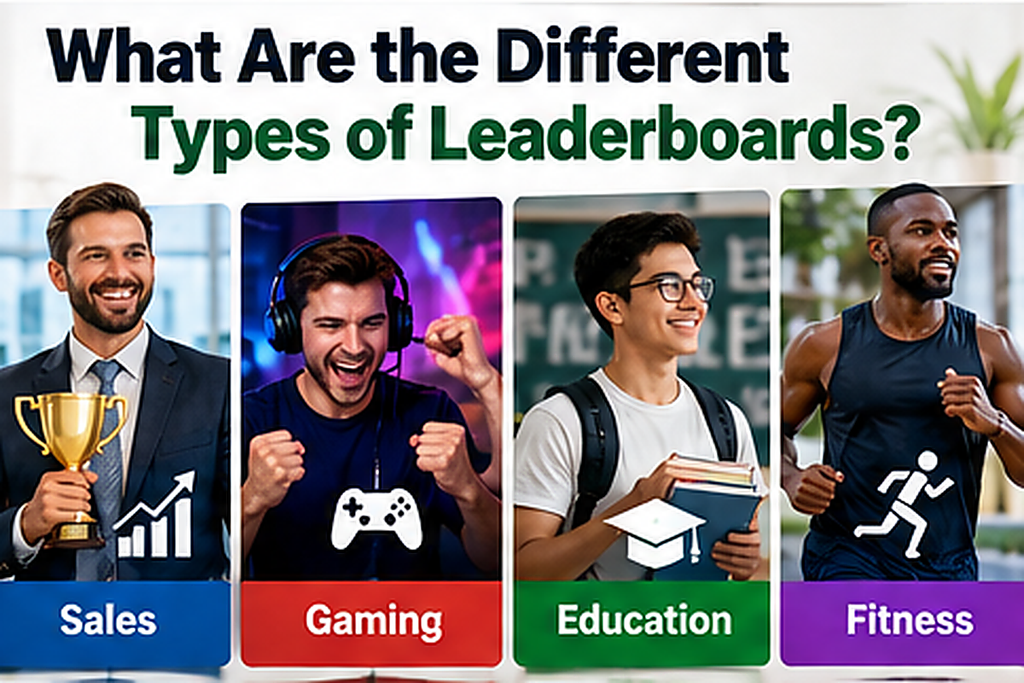
The most widely used types include:
- Sales leaderboards: Rank employees by revenue, deals closed, or qualified appointments.
- Gaming leaderboards: Compare players using scores, wins, achievements, or completion times.
- Educational leaderboards: Display student achievements, quiz scores, or learning activities.
- Fitness leaderboards: Rank participants by distance covered, completed workouts, or exercise points.
- Tournament leaderboards: Track competitors throughout scheduled matches or events.
- Customer service leaderboards: Compare support teams using satisfaction scores and resolution metrics.
- Team leaderboards: Combine individual contributions into a shared team ranking.
Sales leaderboards help managers identify strong performance and monitor progress toward targets. Educational leaderboards add competition to learning activities, but teachers must consider students’ confidence and privacy. Gaming leaderboards commonly reward skill, consistency, or achievements depending on the game’s rules.
Real-Time vs. Static Leaderboards
A real-time leaderboard changes as soon as its connected scoring system supplies new results. A static leaderboard keeps the same information until someone updates it manually or the next scheduled refresh occurs. Both are useful, but they serve different operational needs.
Live rankings suit sporting events, quizzes, and competitions where standings change frequently. Static rankings work well for monthly employee recognition, annual awards, and completed tournaments. Choose the update frequency according to how often participants need accurate information.
Leaderboards can also be public, private, individual, or team-based. A public leaderboard encourages visible competition, while a private one lets participants track their progress without exposing others’ results. Team-based rankings may be preferable when cooperation matters more than individual recognition.
Must-know Tip: Avoid comparing participants who have unequal opportunities to earn points. A salesperson managing 100 leads and another handling 20 leads may require different performance benchmarks. Fair rankings consider both results and the conditions under which participants achieve them.
What Are the Benefits of Using a Leaderboard?

Leaderboards make performance easier to understand by turning scattered results into organized standings. Instead of reading several reports, participants can identify their position and compare progress against a shared objective. This visibility can support motivation, accountability, recognition, and faster performance reviews.
Their main advantages include:
- Better visibility: Everyone understands current rankings and performance expectations.
- Stronger motivation: Participants have clear targets to work toward.
- Public recognition: Achievements become easier to acknowledge.
- Progress tracking: Individuals can monitor changes over time.
- Friendly competition: Teams can compete around shared rules.
- Greater accountability: Results become measurable and easier to discuss.
Consider a classroom where students complete weekly learning challenges. A leaderboard allows participants to compare points, but teachers should also recognize improvement rather than rewarding only the highest totals. This helps make competition more encouraging for students with different starting abilities.
Research provides useful context without proving that every leaderboard improves performance. A 2024 systematic review by Chunqi Li and colleagues examined 20 articles covering 22 studies and 29 interventions and found that outcomes depended heavily on leaderboard design.
How Do Leaderboards Improve Motivation?
Leaderboards use visible progress and social comparison to make goals more concrete. Participants can see the gap between their current performance and what it takes to reach another position. However, rankings work best when people believe improvement is achievable.
A 2024 study of online discussion engagement by Brian Bovee and colleagues highlighted clear goals, balanced challenges, timely feedback, and social influence as important design considerations. These findings suggest rankings need meaningful feedback, not just winners.
For businesses, engagement remains a broader challenge beyond leaderboards themselves. Gallup’s 2026 report found that global employee engagement declined from 21% in 2024 to 20% in 2025. These figures explain why organizations pay attention to engagement, but they don’t show that leaderboards alone solve the problem.
Must-know Tip: Recognize personal improvement alongside competitive placement. An employee who increases qualified sales by 30% deserves acknowledgment even without reaching first place. This approach makes participation worthwhile for more people.
How Are Leaderboard Rankings and Scores Calculated?
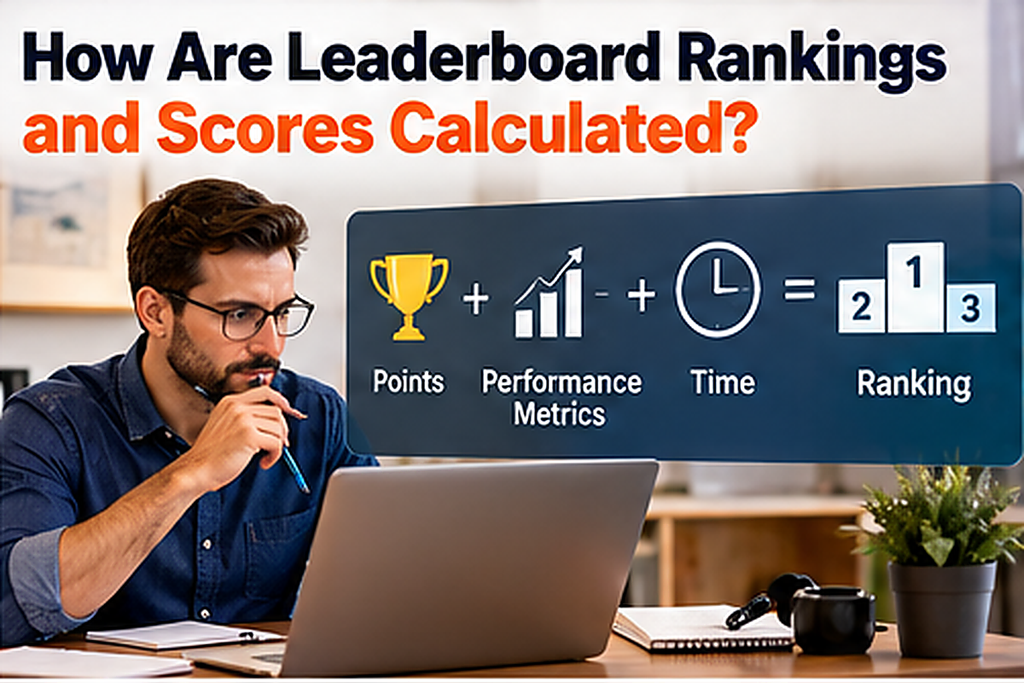
Leaderboard rankings depend on the scoring formula you choose, not merely the appearance of the display. Some systems use total points, while others rely on percentages, weighted performance metrics, or elapsed time. Each method answers a different question about participant achievement.
For example, a tournament may award three points for a win, one for a draw, and zero for a loss. A sales leaderboard may award points based on completed deals and customer retention. A racing leaderboard usually ranks shorter completion times ahead of longer ones.
How to Calculate Leaderboard Points
Suppose a business awards five points for each qualified appointment and ten points for each completed sale. An employee who books eight appointments and closes four sales earns 80 points. The calculation is eight multiplied by five, plus four multiplied by ten.
Case Study: Improving Fairness at Oakridge Sales
Consider a fictional company called Oakridge Sales, where manager Peterson runs a monthly competition. Initially, employees receive one point for every customer call, regardless of whether the call produces meaningful results. Michael consistently ranks first because he makes the most calls, although his completed sales remain relatively low.
Peterson introduces a revised system that awards five points for qualified appointments and ten points for completed sales. After the change, Sarah moves ahead because her conversations produce more successful outcomes. The example illustrates how scoring design influences what participants prioritize, without claiming measured business improvements.
How Do Leaderboards Handle Ties?
Tied scores occur when two participants achieve the same result. Some systems assign both participants the same position, while others apply a predetermined secondary metric. Tournament organizers often establish tie-breaking rules before the event begins.
Common options include:
- Shared rankings for identical scores.
- Higher accuracy or conversion rates.
- Faster completion times.
- Better results in direct competition.
- A clearly defined secondary performance metric.
Must-know Tip: Publish your scoring and tie-breaking rules before starting a competition. Changing the rules midway can create confusion and undermine trust. Consistent measurement makes rankings easier to explain and defend.
How to Create a Leaderboard Step by Step
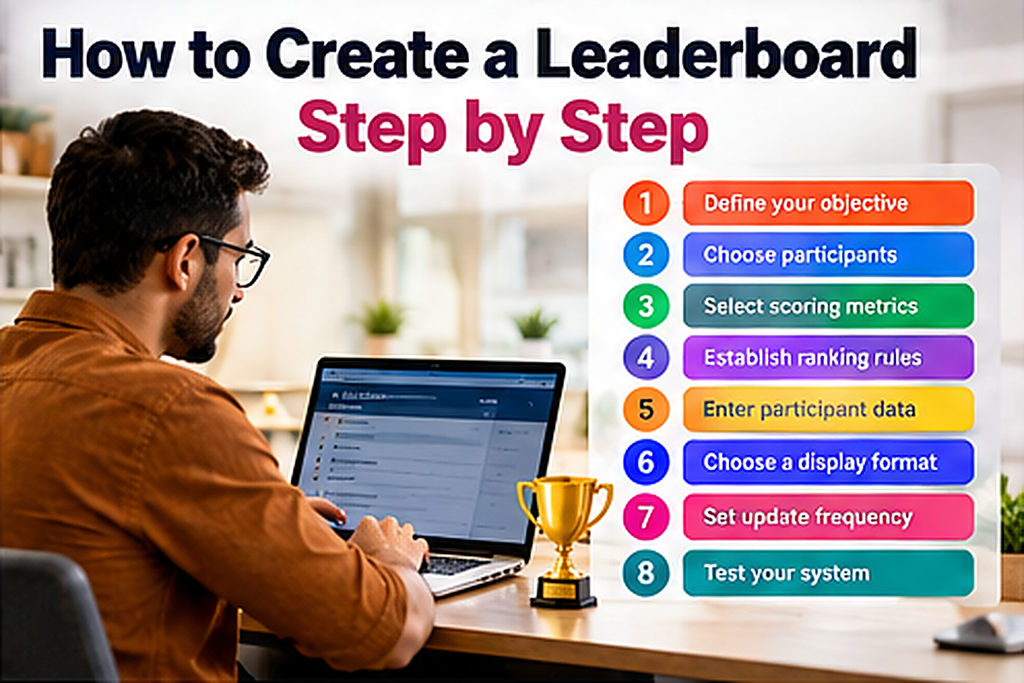
An effective leaderboard starts with defining what success means for your participants. You can build a simple version with spreadsheet software or use a dedicated leaderboard platform for a more specialized display. The right choice depends on your reporting needs, available data, and desired level of automation.
Follow these steps to build a useful leaderboard:
- Define your objective. Decide whether you want to encourage sales, learning, participation, or competitive performance.
- Choose participants. Include individuals or teams competing under comparable conditions.
- Select scoring metrics. Pick measurable outcomes directly related to your objective.
- Establish ranking rules. Define points, sorting direction, and tie-breaking methods.
- Enter participant data. Record names and scores accurately.
- Choose a display format. Use a spreadsheet, presentation, or leaderboard-making tool.
- Set update frequency. Decide whether results should change immediately, daily, or weekly.
- Test your system. Check calculations and confirm that rankings display correctly.
Leaderboard vs. Scoreboard vs. Dashboard
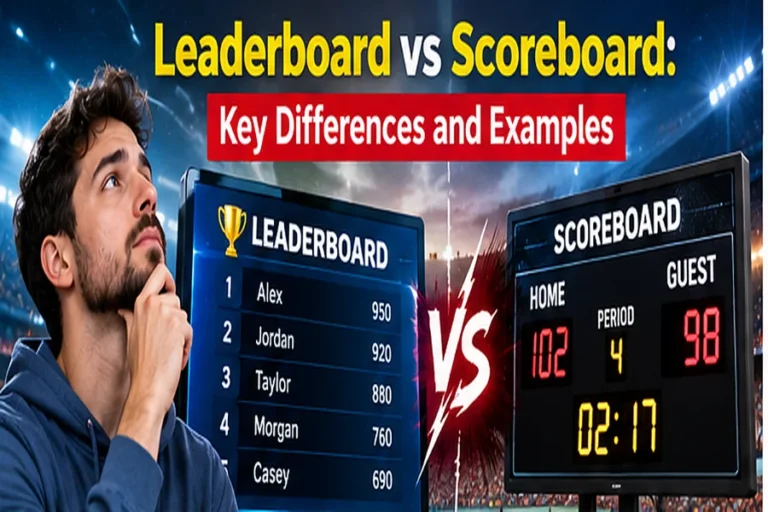
These tools display performance information, but they answer different questions. A leaderboard shows who ranks highest, a scoreboard displays the current score or result, and a dashboard presents broader performance metrics. Understanding this distinction prevents you from choosing a display that cannot answer your main question.
| Tool | Main Purpose | Example |
| Leaderboard | Rank participants | Top sales representatives |
| Scoreboard | Display scores | Basketball game results |
| Dashboard | Monitor multiple metrics | Revenue, leads, and expenses |
When choosing software, look for clear score entry, flexible ranking rules, readable displays, and suitable sharing options. Data integrations may help if your results change frequently, but their availability depends on the product. Test your scoring requirements before committing to a platform.
You should also decide whether participants can view everyone else’s scores. Private rankings, nicknames, or limited visibility may suit schools and sensitive workplace settings. A useful leaderboard provides meaningful feedback without exposing information unnecessarily.
Conclusion
What is a leaderboard? It is a ranking system that transforms measurable results into an organized comparison of individual or team performance. Whether you use one for business, education, fitness, or gaming, its value depends on choosing appropriate metrics and presenting results clearly.
A well-designed leaderboard helps participants understand their current standing, recognize achievements, and identify opportunities for improvement. However, effective competition requires fair scoring rules, accurate updates, and consideration for people who may feel discouraged by consistently low rankings.
Before creating your leaderboard, identify the behavior you want to encourage and decide how you will measure it. Consider whether individual rankings, team competitions, or personal progress tracking best suit your audience. Most importantly, build a system that rewards meaningful results rather than numbers that simply look impressive.
The following frequently asked questions address common leaderboard terminology, setup decisions, and practical uses.
Frequently Asked Questions About Leaderboards
1. What Is the Main Purpose of a Leaderboard?
A leaderboard ranks participants according to measurable performance and makes their standings visible. It helps people compare achievements, monitor progress, and understand their position within a competition. Organizations also use rankings to recognize accomplishments and communicate results.
2. What Is an Example of a Leaderboard?
A sales leaderboard showing the top five employees by monthly revenue is a common example. Gaming platforms use similar rankings to display players with the highest scores. Schools may also rank students based on activity points or quiz performance.
3. What Is the Difference Between a Leaderboard and a Scoreboard?
A leaderboard ranks participants against one another using a selected performance metric. A scoreboard typically displays the scores of competitors in a particular game or event. Although both present results, their primary purposes differ.
4. How Do You Make a Leaderboard in Excel?
Enter participant names and scores into separate columns in Excel. Sort the score column from highest to lowest and use ranking formulas when necessary. Update the data whenever new results become available.
5. Can You Create a Leaderboard in Google Sheets?
Yes, Google Sheets supports leaderboard creation using tables, sorting, and formulas. You can maintain participant scores and calculate positions from the available data. Shared access also allows authorized collaborators to update the spreadsheet.
6. What Is a Real-Time Leaderboard?
A real-time leaderboard updates standings when its underlying system receives new performance data. It can reflect changing scores without requiring participants to rebuild the display manually. Actual update speed depends on the software and data connection.
7. What Is a Sales Leaderboard?
A sales leaderboard compares employees or teams using selected sales performance metrics. Common measurements include revenue generated, deals completed, and qualified appointments. Managers use these standings to monitor achievements and identify performance differences.
8. What Is a Leaderboard in Gaming?
A gaming leaderboard displays player rankings based on achievements or competitive results. Games may rank participants by points, victories, completion times, or other measurable accomplishments. The ranking rules depend on the game and competition format.
9. What Is Leaderboard Gamification?
Leaderboard gamification introduces competitive ranking into activities that are not necessarily games. Businesses and schools use this approach to make progress more visible and encourage participation. Effective implementation requires achievable goals and fair competition.
10. Are Leaderboards Good for Employee Motivation?
Leaderboards can motivate employees when they provide meaningful goals and recognize genuine achievements. However, public rankings can also discourage participants who struggle to compete. Their effectiveness depends on scoring fairness, workplace culture, and leaderboard design.
11. What Happens When Two Players Have the Same Score?
Participants with identical scores may share a ranking position. Alternatively, the competition may use secondary metrics to determine placement. Organizers should establish these rules before competition begins.
12. What Is a Leaderboard in Advertising?
In digital advertising, a leaderboard refers to a horizontal banner advertisement commonly measuring 728 by 90 pixels. It usually appears near the top of a webpage to display promotional content. This meaning differs from leaderboards that rank people or teams.
13. Can You Display a Leaderboard on a TV?
Yes, you can display a leaderboard on a television using a connected computer or another compatible display device. Businesses frequently use large screens to make performance rankings visible during competitions. Readability, update frequency, and appropriate sharing permissions are important considerations.


Comments
0 responsesNo comments yet. Be the first to share your thoughts.