



Opens in a new tab. Your article title and link are shared only with the AI assistant you choose.
Knowing how to make a tournament bracket can keep your event from getting confusing before the first game. A neat-looking chart means little if two top seeds meet immediately, a team receives the wrong bye, or nobody knows where the winners go next. The numbers matter: an eight-team knockout needs seven games, but a round robin needs 28.
In 2026, the NCAA announced a larger March Madness field for 2027, showing that bracket design keeps evolving. Your own event deserves the same attention to structure, even with only a few participants. This post covers formats, fair pairings, byes, scheduling, and sharing accurate results.
What Is a Tournament Bracket, and Which Format Should You Choose?
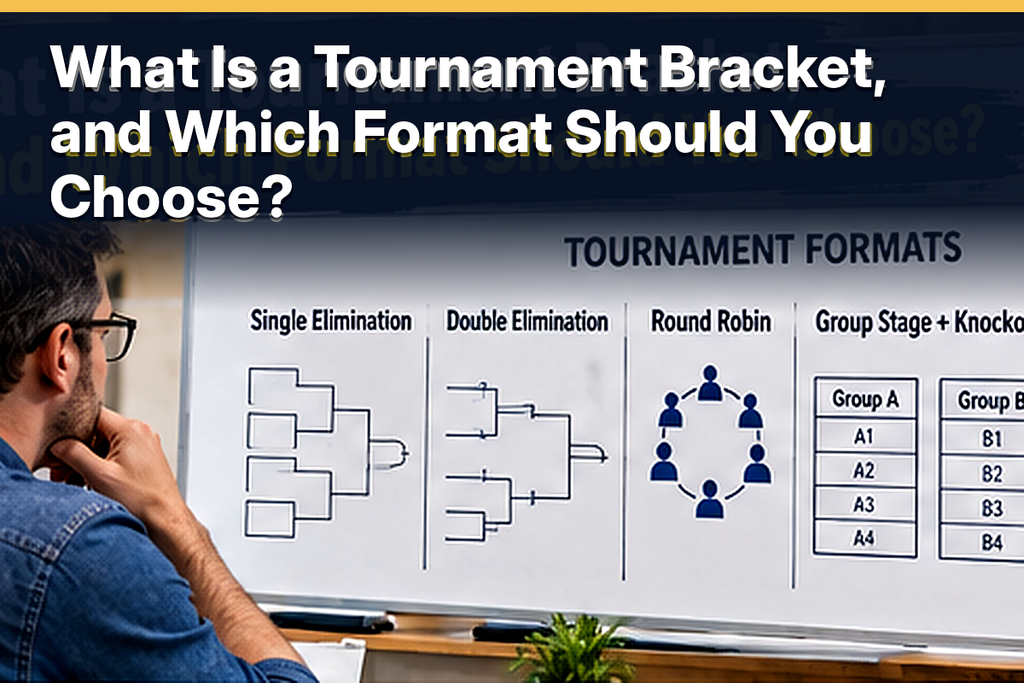
A tournament bracket shows competitors, pairings, rounds, and the path to a winner. Each result determines who advances or plays next. First decide whether you want a fast champion, second chances, or more games for everyone.
The most common choices are:
- Single elimination: One loss ends a team’s tournament, making it suitable for short events.
- Double elimination: A team must lose twice to be eliminated, so you need winners’ and losers’ paths.
- Round robin: Every team plays the others, with standings determining the winner or qualifiers.
- Group stage plus knockout: Teams compete in groups before selected teams enter an elimination bracket.
- Swiss: Competitors face opponents with similar records over a set number of rounds.
A knockout bracket is easiest to draw because winners follow fixed lines. Round robin works better as a schedule and standings table. In 2025, the NCAA men’s basketball tournament had 68 entrants, with four First Four games feeding a 64-team bracket.
A bracket can sit beside a separate ranking display during your competition. A leaderboard maker can show scores or standings while the bracket identifies upcoming opponents. Keep them distinct so spectators do not confuse points with advancement.
The NCAA announced in May 2026 that its basketball fields would grow from 68 to 76 teams in 2027. Its expanded Opening Round will have 12 games. Afterward, 64 teams enter the standard bracket.
Must-know Tip: Select your format before registrations close. Changing to round robin can increase playing time dramatically. Check venue capacity before promising a game count.
How to Make a Tournament Bracket Step by Step
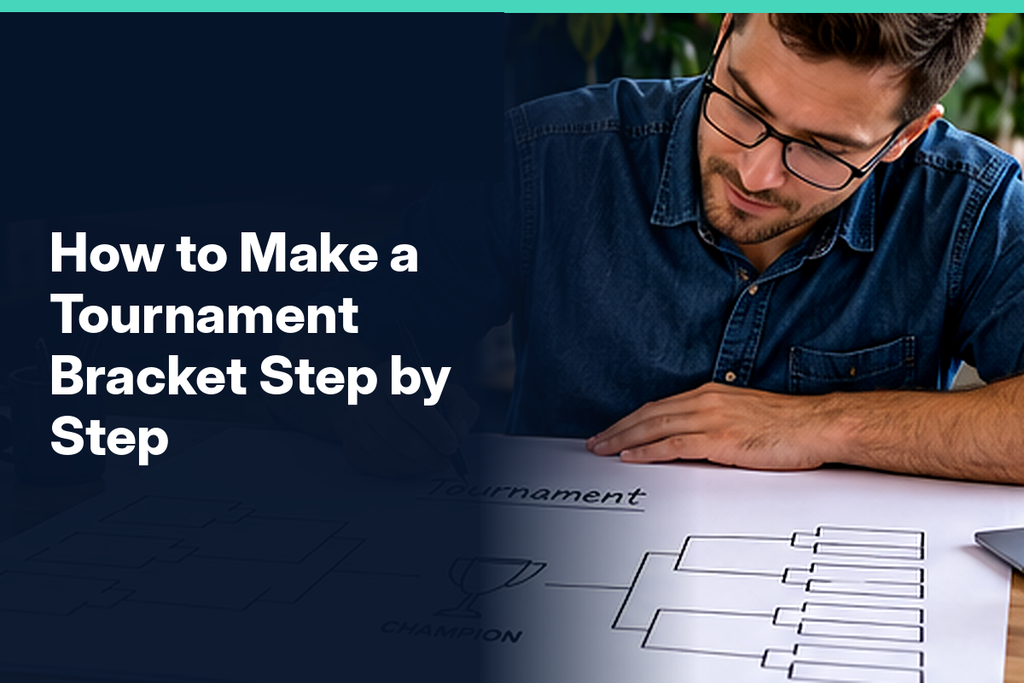
Start with confirmed entrants rather than registration estimates. For single elimination, find the next power of two that fits the field. Four, eight, 16, 32, and 64 are standard sizes because each round halves the field.
Use this sequence to build your bracket:
- Write every participant’s name exactly as it should appear on match sheets.
- Set the bracket size, reserving empty places for any first-round byes.
- Decide whether to rank competitors by previous results or draw positions randomly.
- Pair first-round opponents and draw the winners’ paths toward the final.
- Label the rounds, match numbers, game times, and courts or online lobbies.
- Check every route, publish the bracket, and record winners as games finish.
Draw an Eight-Team Bracket by Hand
Pair Seeds 1–8, 4–5, 3–6, and 2–7 in the opening round. Place the first two pairings above the other two, linking adjacent winners in the semifinals. Connect the semifinal winners to one championship box.
Check the Bracket Before Publishing
Trace each winner’s route and check the starting names. Eight teams require four quarterfinals, two semifinals, and one final: seven games across three rounds. Enter imaginary results to catch duplicate names or broken connections.
Print a backup even if your official bracket is online. Give every game a unique number that matches its score sheet. That small step makes score disputes and last-minute internet outages easier to manage.
Must-know Tip: Never change published seeds silently. Explain any correction and its effect on fixtures. Keep a visible revision log.
How Do Seeding and Byes Work for Uneven Team Counts?
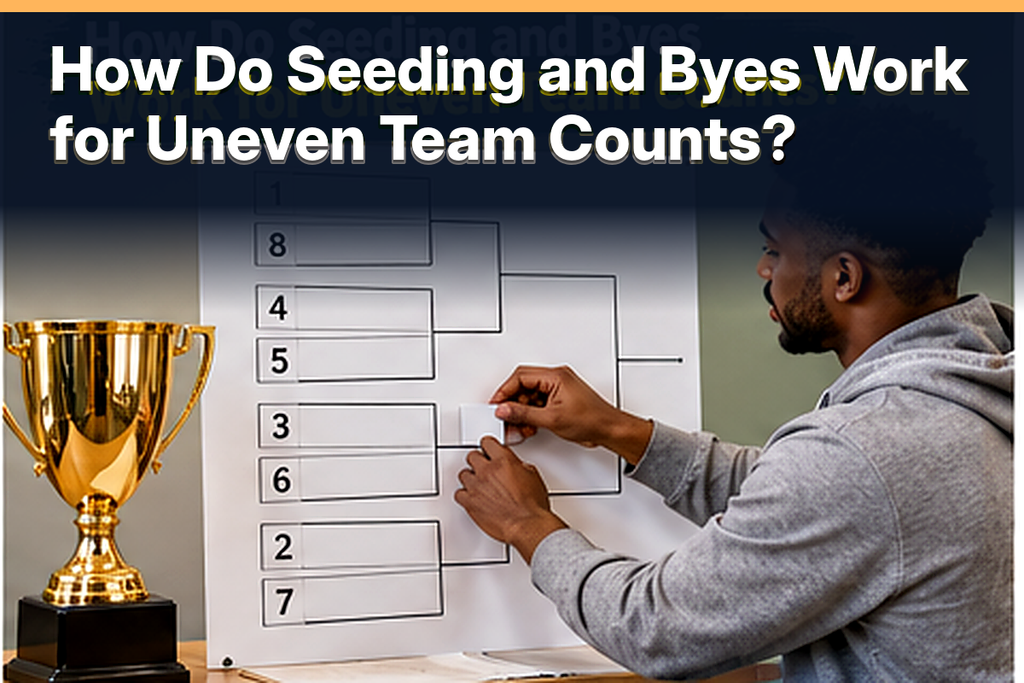
A bye advances a participant without an opening match. Subtract entrants from the next power of two to calculate first-round byes. Twelve teams need four byes in a 16-slot bracket, while 10 teams need six.
Assign Byes Without Creating Unfair Matchups
Give the highest seeds byes across different parts of a ranked draw. With 12 teams, Seeds 1–4 wait while Seeds 5–12 play four opening matches. Those winners join the top seeds in the quarterfinals.
Without reliable rankings, use a transparent random draw. Do not award byes for early registration unless your rules promise that. A bye is not a played win for standings calculations.
Use the Right Layout for Your Team Count
Six teams need two byes and five games. Twelve teams need 11 games, while 16 need 15 without a third-place playoff. Each knockout game eliminates one competitor, so total games equal entrants minus one.
Do not place every bye together in one half of the draw. Distribute bye recipients so the route to later rounds follows the announced seeding arrangement. Otherwise, one side may become crowded with extra opening games while the other side advances too easily.
When a participant withdraws before play starts, apply the replacement policy you published. Once games have been completed, changing the field can affect opponents who already earned advancement. Record whether a withdrawal counts as a forfeit, a walkover, or an unused slot under your competition rules.
Must-know Tip: Seeding cannot guarantee finalists. Keep Seeds 1 and 2 on opposite sides. Let game results determine advancement.
How Many Games, Rounds, and Hours Will Your Tournament Need?
In single elimination, matches equal entrants minus one. Eight teams need seven games in three rounds, while 32 need 31 in five. A full 64-team bracket needs 63 games across six rounds.
Estimate time using match blocks, court availability, rest, and delays. A match block includes play, score confirmation, and changeover. Two courts allow parallel games, but later rounds must wait for their qualifying results.
Example: Peterson’s 12-Team Pickleball Tournament
Imagine Peterson runs a 12-team pickleball event using two courts. Four byes leave four opening matches, four quarterfinals, two semifinals, and one final: 11 games. Allowing 25 minutes per game, including turnover, requires six scheduling blocks.
Six blocks total 150 minutes without extra breaks or delays. Adding 15 minutes before the final produces a 165-minute plan, or two hours and 45 minutes. Actual matches may last longer, so this example is only a planning baseline.
A schedule must respect dependencies between matches, not just available courts. The winner of an early game cannot play a later round while that first game is still underway. Group the schedule by rounds and leave recovery time for competitors who play consecutively.
Round robin gives eight teams 28 games because everyone meets once. Double elimination requires more games and sometimes a deciding final reset. In March 2026, the SEC men’s 16-team event used 15 games, despite its staggered entry rounds.
How Can You Create, Share, and Manage a Bracket Online?
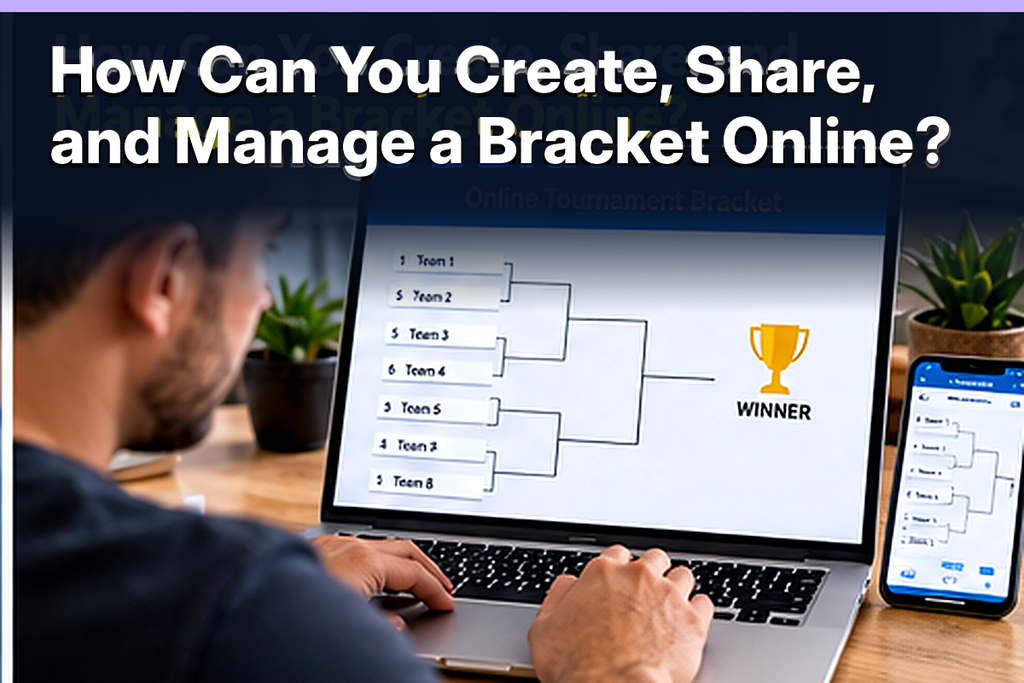
Choose a method based on updates and audience needs. Paper suits small events, while spreadsheets offer editable records. Online tools help spectators follow changes on their phones.
Make a Bracket in Excel or Google Sheets
Place opening matchups in left columns and later rounds to the right. Add game numbers, dates, courts, and scores beside each pairing. Automatic advancement requires tested formulas, not just connecting borders.
Publish a Bracket People Can Actually Follow
Check formats, limits, account requirements, and public score updates. In 2026, ScoreLeader advertises a 128-participant limit and single-elimination support. Verify current features before committing to a provider.
Make digital brackets readable without relying on connecting lines. Provide descriptive round labels, winner names, and sensible keyboard navigation. As web inventor Tim Berners-Lee said, “The power of the Web is in its universality.”
For sharing, publish one view-only link for spectators and restrict editing to designated organizers. Post a QR code at check-in, and include the same link in your tournament announcement. That prevents old screenshots from becoming the unofficial source of match information.
A printable bracket should identify each round and use enough spacing for handwritten results. A digital bracket should communicate match status in text, not merely through color or motion. If you allow public score entry, require organizer approval before a result changes the next round.
Must-know Tip: Maintain one authoritative bracket instead of conflicting screenshots. Test mobile viewing without relying on color alone. Have a scorekeeper approve results before advancing teams.
Conclusion: How to Make a Tournament Bracket That Works
Knowing how to make a tournament bracket means planning more than names inside boxes. Confirm entrants, choose the right format, and assign places using public seeding or draw rules. Calculate byes, then verify that every winner has a clear next destination.
For single elimination, the reliable starting point is one fewer match than the number of teams. Add court capacity, realistic game lengths, rest periods, and a method for recording disputed or corrected scores before you release the schedule. A well-planned bracket lets participants focus on competing rather than deciphering who plays next.
Your next step is simple: sketch a small version, test it with imaginary results, and only then share the finished draw. The questions below address the details organizers most often need to settle before game day.
Frequently Asked Questions About Tournament Brackets
Can I Make a Tournament Bracket for Free?
Yes, paper and spreadsheets are free. Some generators offer free brackets. Check editing limits before choosing.
How Do I Make a Bracket for Six Teams?
Use eight slots with two byes. Four teams play two opening matches. You need five games to crown a champion.
How Do I Make a Bracket for 10 Teams?
Use 16 slots and six byes. Four teams play two preliminary matches. The event requires nine games overall.
How Many Byes Are Needed for 12 Teams?
You need four opening-round byes. Eight teams play four preliminary matches. Their winners join the four waiting teams in the quarterfinals.
How Do I Make a 16-Team Bracket?
Draw eight first-round games. Follow them with four quarterfinals, two semifinals, and one final. The result is 15 games across four rounds.
Should I Seed Teams or Randomize the Draw?
Use rankings for competitive balance. Randomize without reliable rankings. Explain your method before publishing.
What Is the Difference Between Single and Double Elimination?
Single elimination ends after one loss. Double elimination permits a second path after defeat. That extra path creates more matches.
What Happens if a Team Withdraws?
Follow published forfeiture rules. Notify opponents of changes. Avoid unexplained reseeding after play starts.
How Do I Break a Tie in a Tournament?
Set tiebreakers before play starts. Knockout matches need a winner through an approved procedure. Group tables can use head-to-head results or point differential.
Can I Display a Tournament Bracket on a TV?
Yes, display an online bracket using a connected device. Enlarge team names for visibility. Share a mobile version for spectators farther away.


Comments
0 responsesNo comments yet. Be the first to share your thoughts.